
Image: FNV-1 64-bit Hash Algorithm – Visual Overview
Published: January 9, 2026 at 9:31:24 PM UTC
Last updated: January 9, 2026 at 9:31:50 PM UTC
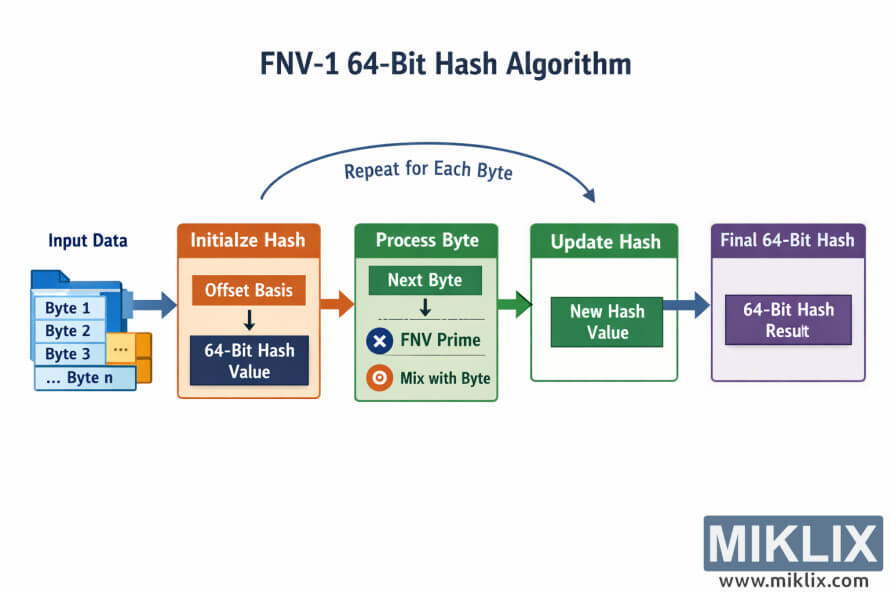
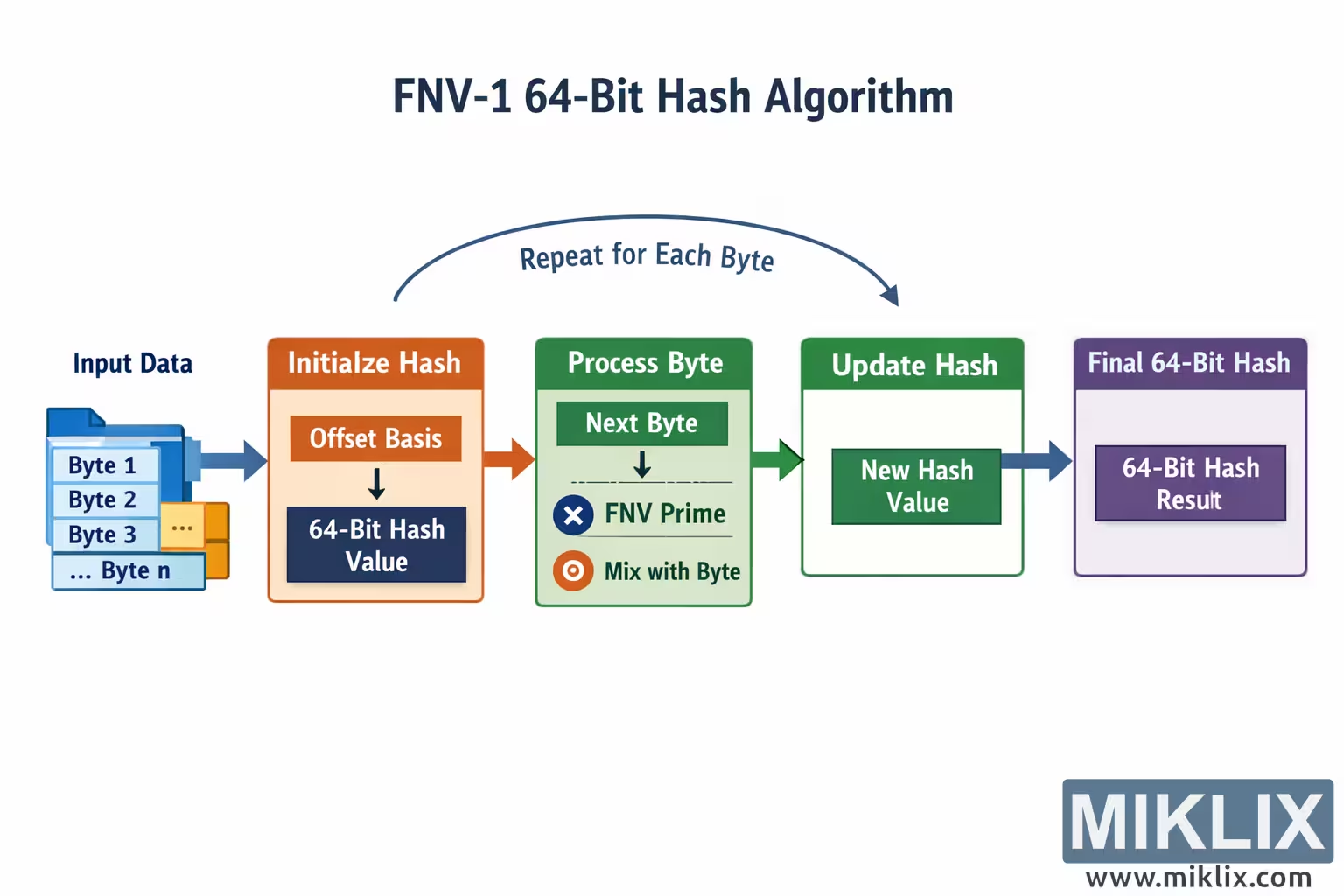
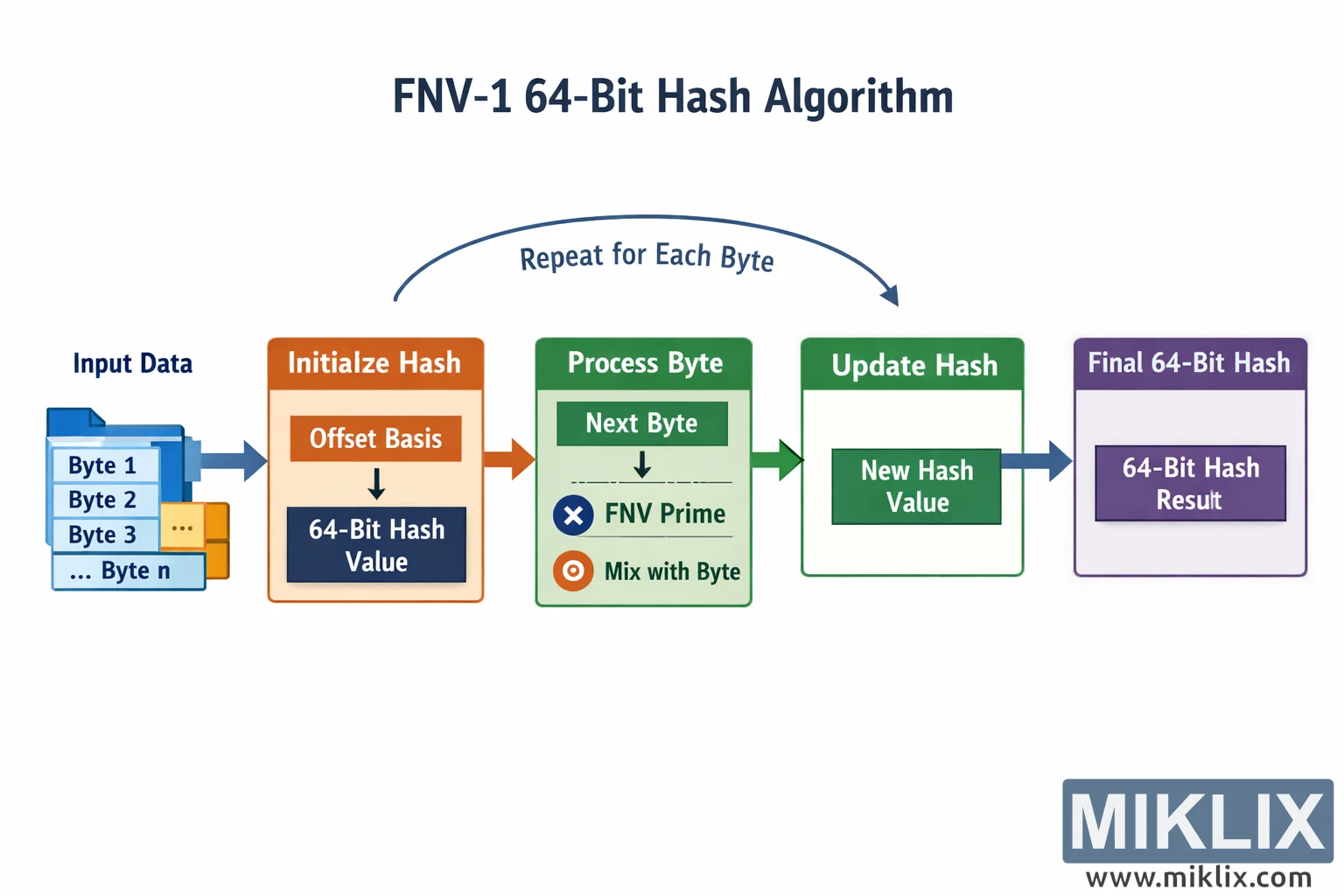
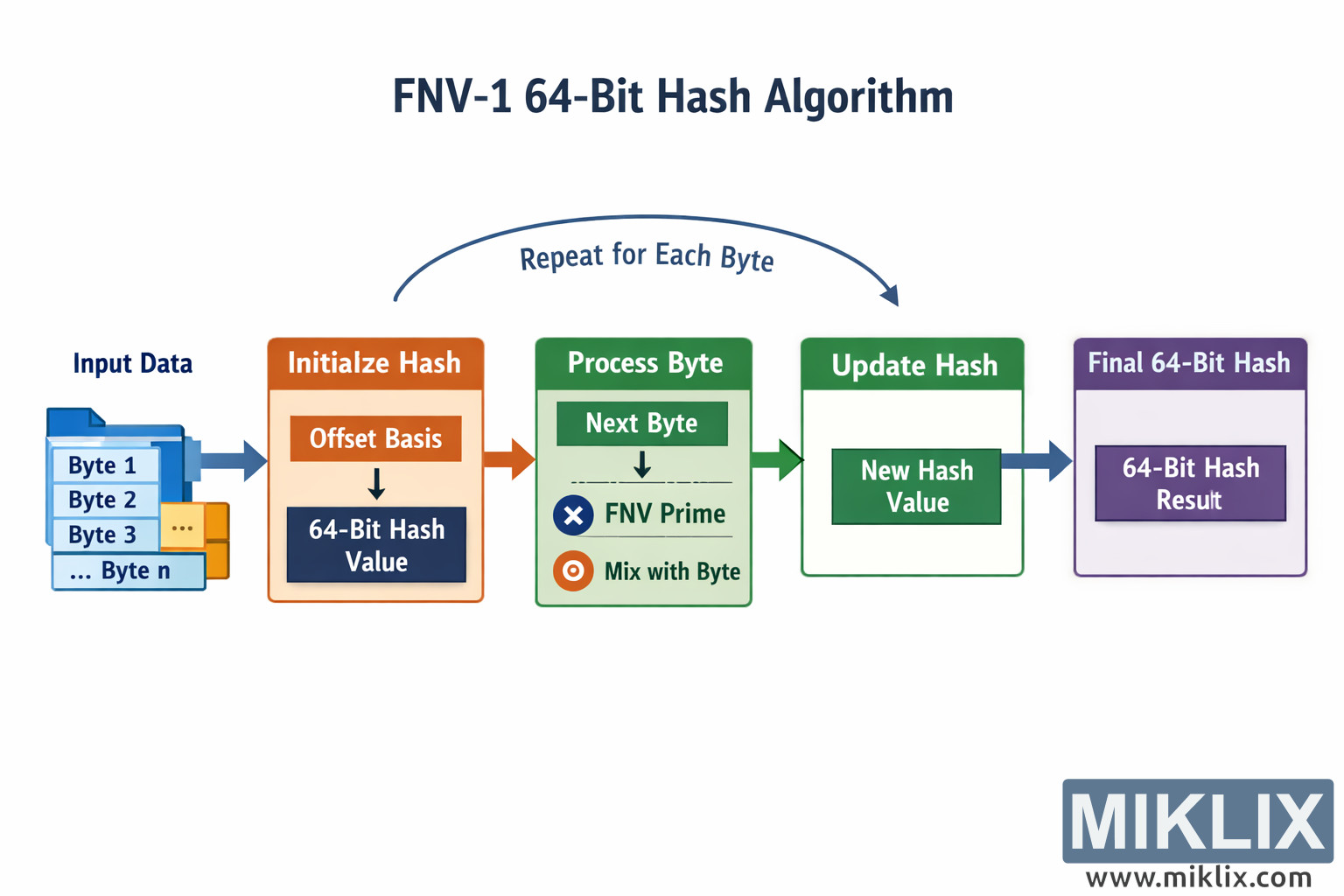
Clear visual explanation of the FNV-1 64-bit hash algorithm, illustrating initialization, per-byte processing, hash updates, and the final hash output in an easy-to-follow flowchart.
Available versions of this image
The image files available for download below are less compressed and higher resolution - and as a result of that, higher quality - than the images embedded in articles and pages on this website, which are more optimized for file size in order to reduce bandwidth consumption.
Regular size (1,536 x 1,024)
Large size (3,072 x 2,048)
Very large size (4,608 x 3,072)
Extra large size (6,144 x 4,096)
Comically large size (1,048,576 x 699,051)
- Still uploading... ;-)
Image description
The image is a clean, landscape-oriented infographic that explains the overall flow of the FNV-1 64-bit hash algorithm in an intuitive, left-to-right sequence. It uses large colored boxes, arrows, and simple icons to help viewers understand how a stream of input bytes is transformed into a single fixed-size hash value. The title, “FNV-1 64-Bit Hash Algorithm,” appears prominently at the top center in a bold, dark font, immediately establishing the topic.
On the far left, a blue panel labeled “Input Data” depicts a stack of files or blocks representing the byte stream. The individual items are labeled generically as “Byte 1,” “Byte 2,” “Byte 3,” and “... Byte n,” emphasizing that the algorithm works on any number of bytes. A large right-pointing arrow leads from this input panel to the first main processing stage.
The next box is an orange panel titled “Initialize Hash.” Inside it, the text “Offset Basis” is shown above a downward arrow pointing to a dark rectangle labeled “64-Bit Hash Value.” This conveys that the algorithm begins by setting an initial 64-bit hash state derived from a predefined starting value, without committing to any specific numeric constants in the visual.
From the initialization stage, another arrow points to a green panel titled “Process Byte.” This panel represents the core per-byte operation. At the top of the panel is a smaller box labeled “Next Byte,” with a downward arrow leading to two conceptual operations: one marked with a multiplication symbol and labeled “FNV Prime,” and another marked with a mixing symbol labeled “Mix with Byte.” These icons and labels communicate that each byte is combined with the current hash state using a multiply-and-mix procedure, while remaining abstract enough to avoid misleading numeric details.
Above the “Process Byte” and “Update Hash” panels, a curved arrow spans from left to right with the caption “Repeat for Each Byte.” This visually reinforces that the processing and updating steps form a loop that runs once for every byte in the input sequence.
To the right of the “Process Byte” panel is another green panel titled “Update Hash.” Inside it is a darker rectangle labeled “New Hash Value,” representing the updated 64-bit state after one byte has been processed. A right-pointing arrow then carries this value forward to the final stage.
The final box on the far right is a purple panel titled “Final 64-Bit Hash.” Inside it is a darker rectangle labeled “64-Bit Hash Result,” indicating the completed hash output once all bytes have been processed and the loop has finished.
Overall, the diagram uses consistent color coding, simple typography, and directional arrows to guide the viewer smoothly from raw input data, through initialization, iterative byte processing, hash updating, and finally to the resulting 64-bit hash. The presentation is intentionally high level and avoids precise constants or formulas, focusing instead on the conceptual workflow of the FNV-1 hashing process.
The image is related to: Fowler-Noll-Vo FNV1-64 Hash Code Calculator