
Image: FNV-1a 32-bit Hash Algorithm Overview
Published: January 9, 2026 at 9:34:48 PM UTC
Last updated: January 9, 2026 at 9:35:19 PM UTC
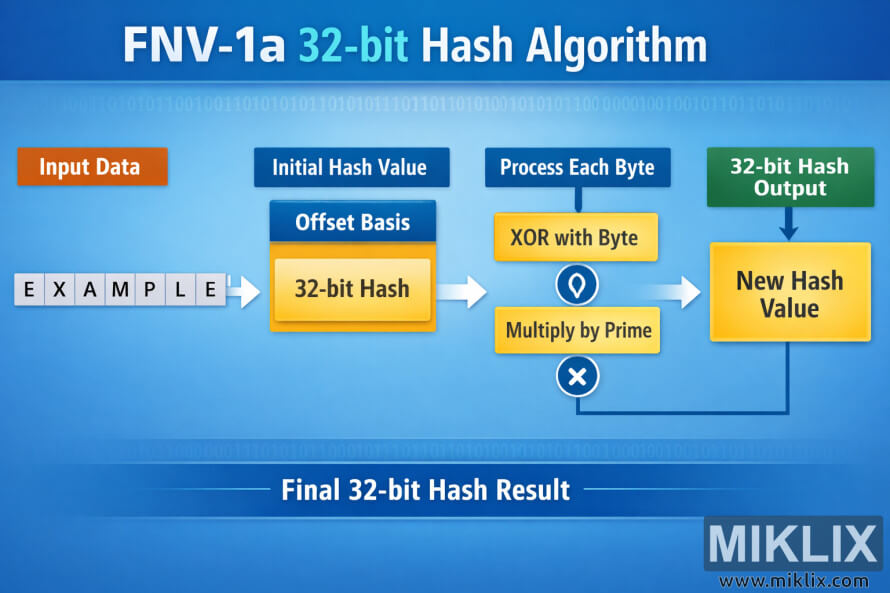
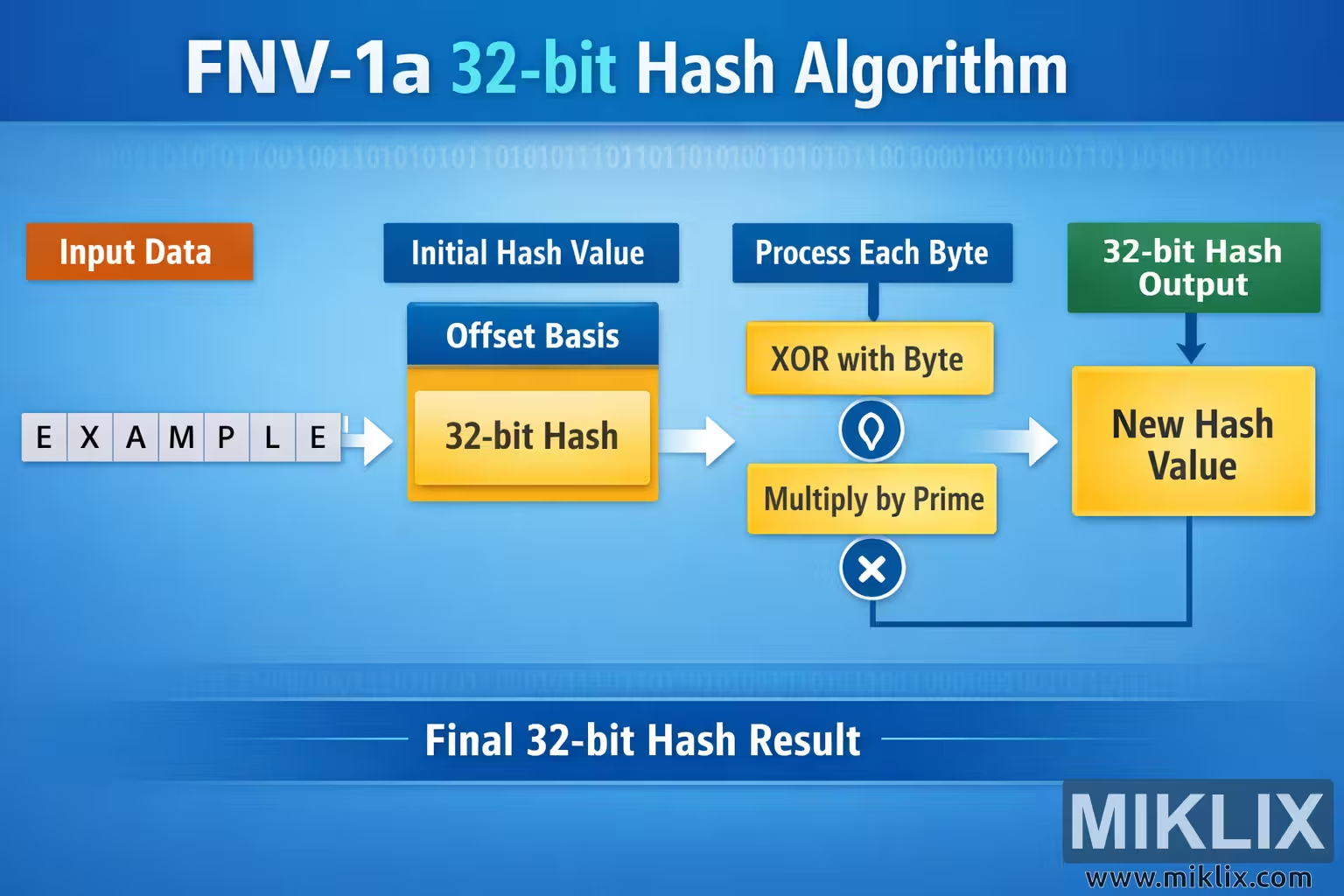
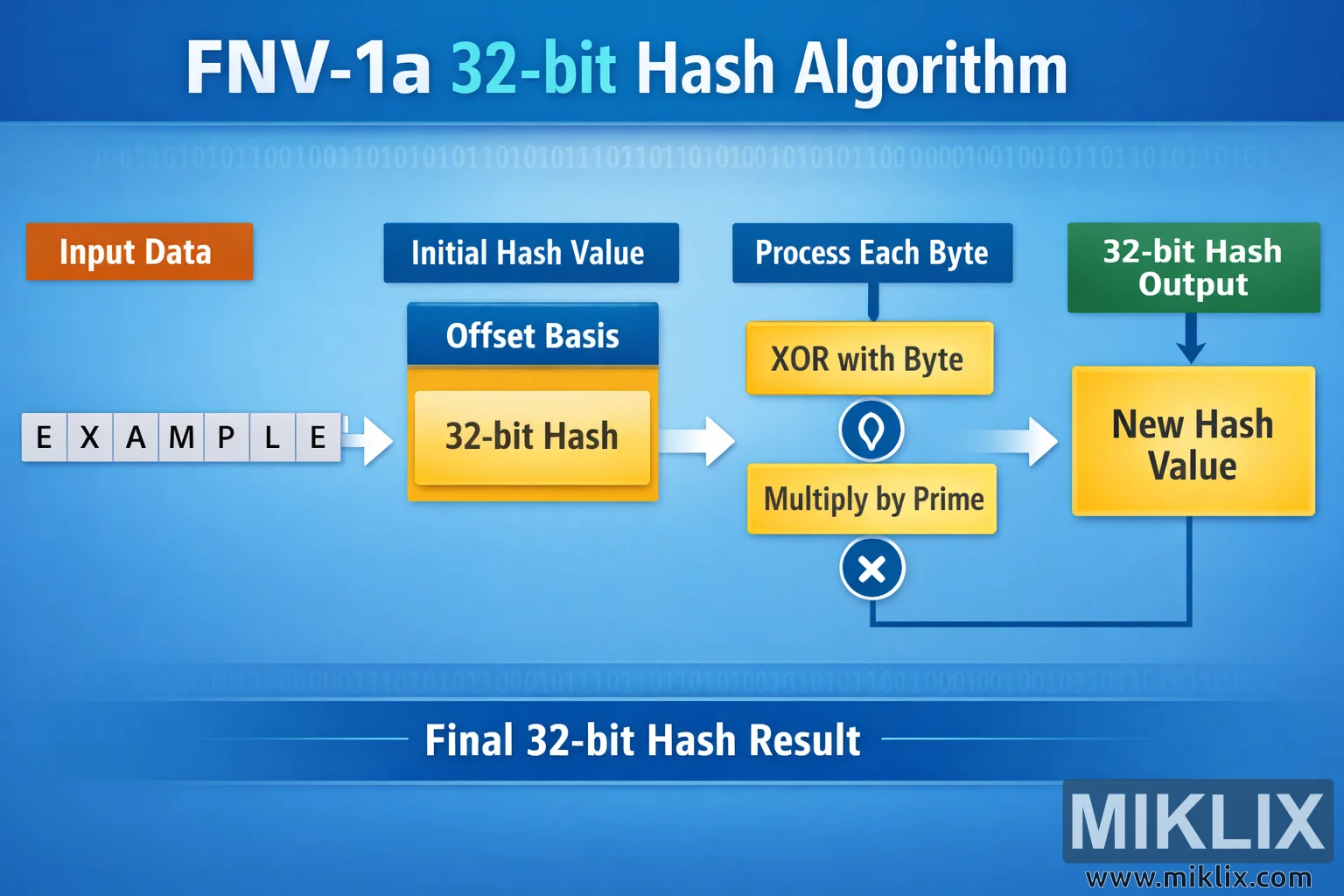
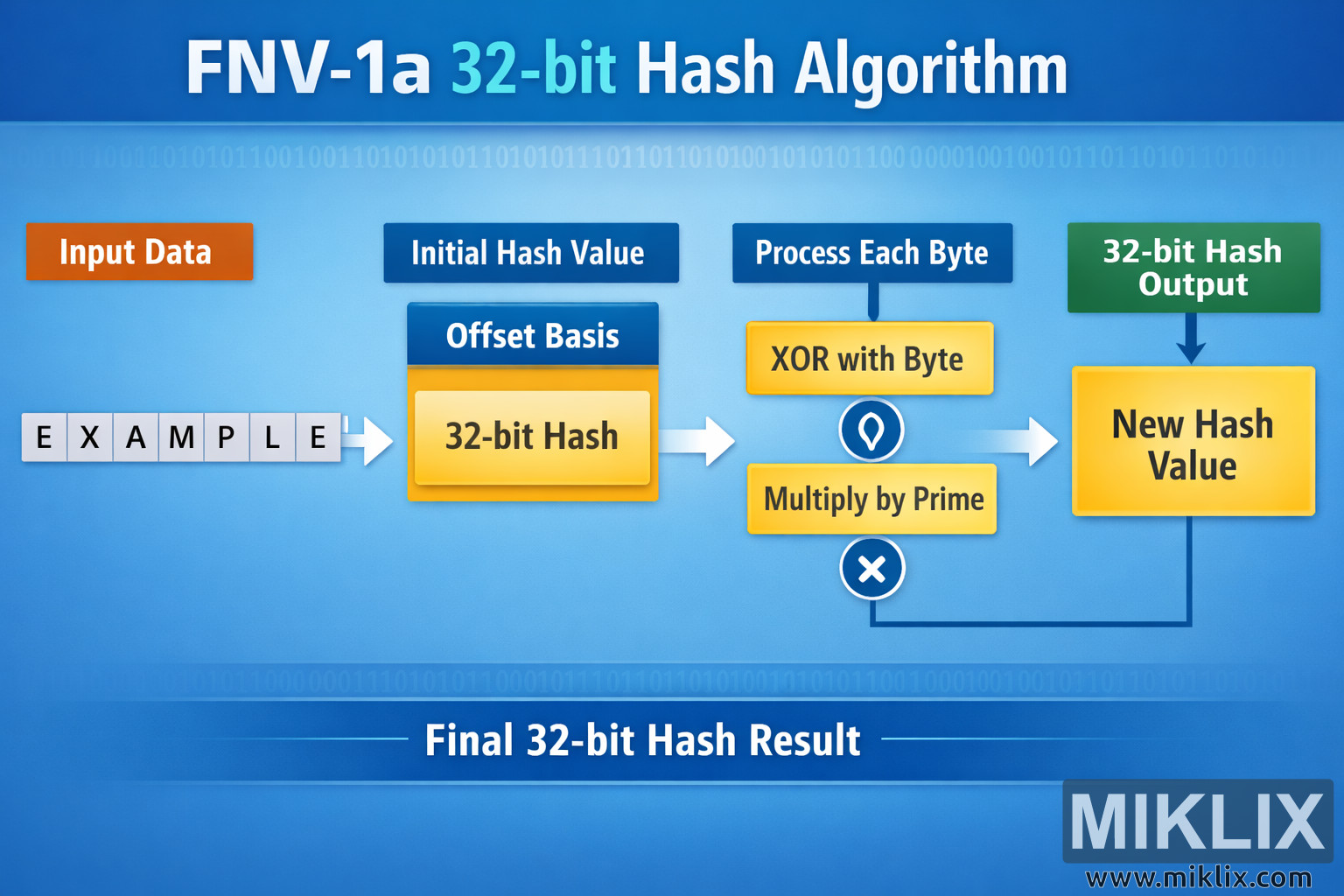
Landscape infographic that visually explains the FNV-1a 32-bit hash algorithm, illustrating input data, initial offset basis, per-byte XOR and multiply steps, and the resulting hash output.
Available versions of this image
The image files available for download below are less compressed and higher resolution - and as a result of that, higher quality - than the images embedded in articles and pages on this website, which are more optimized for file size in order to reduce bandwidth consumption.
Regular size (1,536 x 1,024)
Large size (3,072 x 2,048)
Very large size (4,608 x 3,072)
Extra large size (6,144 x 4,096)
Comically large size (1,048,576 x 699,051)
- Still uploading... ;-)
Image description
The image is a wide, landscape-oriented infographic that explains the overall idea of the FNV-1a 32-bit hash algorithm in a friendly, non-technical way. The background is a smooth blue gradient with faint rows of binary digits running horizontally across the top and bottom, giving a subtle "data" atmosphere without distracting from the main content. At the very top, centered in large white and cyan lettering, is the headline "FNV-1a 32-bit Hash Algorithm."
On the far left, an orange rounded rectangle labeled "Input Data" introduces the process. Beneath it, a simple example is shown as individual light-gray tiles spelling the word "EXAMPLE," visually representing a sequence of bytes rather than a real string value. A white arrow points from this example toward the middle of the diagram, indicating the flow of information from left to right.
In the central area is a blue box titled "Initial Hash Value." Inside this section is another box labeled "Offset Basis," which contains a yellow panel marked "32-bit Hash." This illustrates the idea that the algorithm starts from a predefined starting value, without showing any specific numbers that could become outdated or confusing.
To the right of this is a section titled "Process Each Byte." Two stacked yellow panels describe the repeated operations applied to every byte of the input. The top panel reads "XOR with Byte" and is accompanied by a small light-bulb style icon to suggest a logical operation. The panel below reads "Multiply by Prime" and is paired with a simple multiplication symbol. These two steps are connected by arrows, forming a loop-like visual that implies repetition for every byte in the input sequence, but without specifying low-level implementation details.
Further to the right, a green box labeled "32-bit Hash Output" sits above a larger yellow panel reading "New Hash Value." A downward arrow connects the green label to the yellow panel, showing that after all bytes have been processed, the algorithm produces a final updated hash value. A curved arrow from the "Multiply by Prime" panel leads into this final box, reinforcing the idea that the last iteration feeds into the result.
Across the bottom of the infographic is a wide blue banner with the text "Final 32-bit Hash Result" in white, summarizing the entire pipeline from input data to output hash. The overall layout is clean, left-to-right, and easy to follow, using consistent colors and large labels so that someone unfamiliar with hashing can still understand the high-level flow of the algorithm without being exposed to potentially inaccurate constants or code-specific details.
The image is related to: Fowler-Noll-Vo FNV1a-32 Hash Code Calculator