
Image: GOST CryptoPro Hash Algorithm — High-Level Visual Overview
Published: January 9, 2026 at 10:17:45 PM UTC
Last updated: January 9, 2026 at 10:18:05 PM UTC
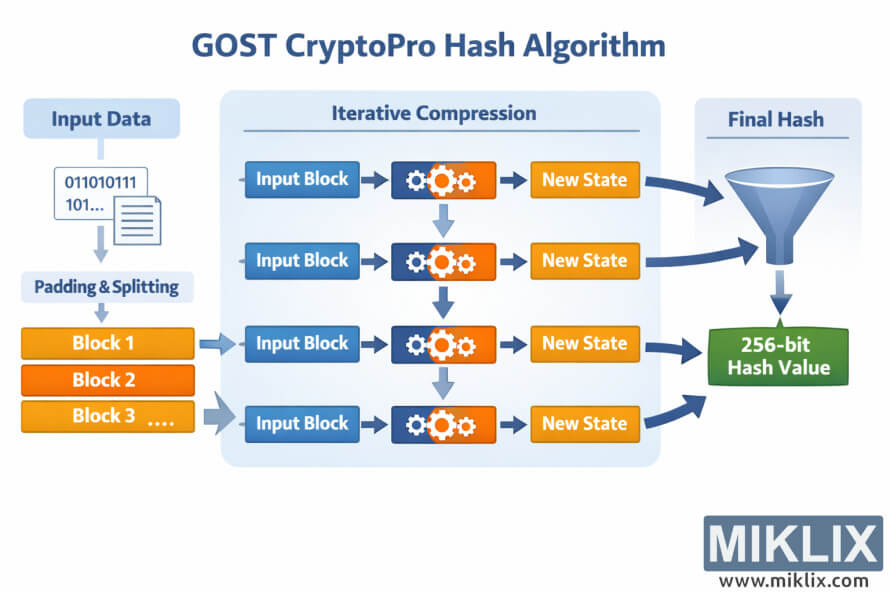
High-level visualization of the GOST CryptoPro hashing process, from input data through padding, block processing, iterative compression, and final 256-bit hash output.
Available versions of this image
The image files available for download below are less compressed and higher resolution - and as a result of that, higher quality - than the images embedded in articles and pages on this website, which are more optimized for file size in order to reduce bandwidth consumption.
Regular size (1,536 x 1,024)
Large size (3,072 x 2,048)
Very large size (4,608 x 3,072)
Extra large size (6,144 x 4,096)
Comically large size (1,048,576 x 699,051)
- Still uploading... ;-)
Image description
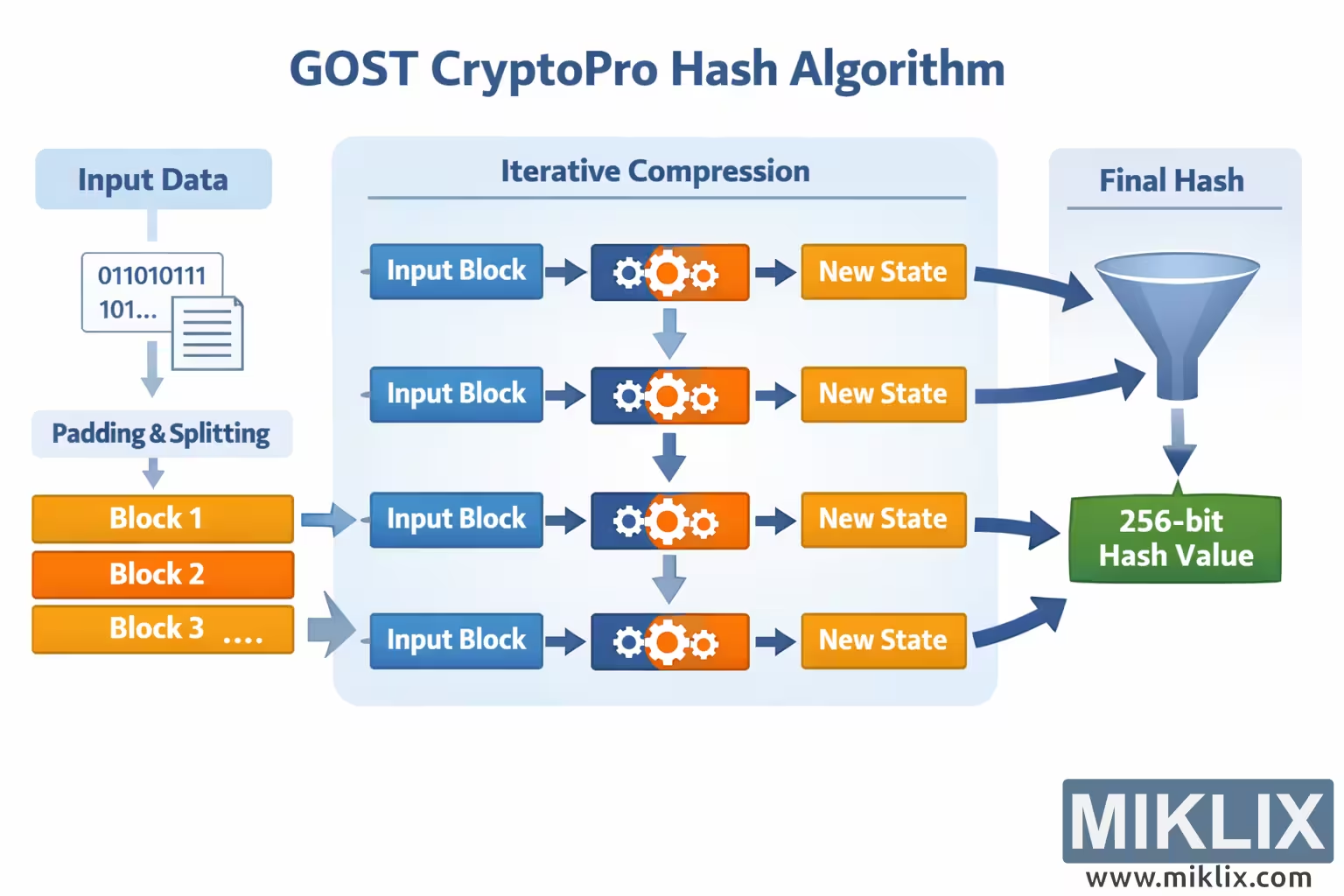
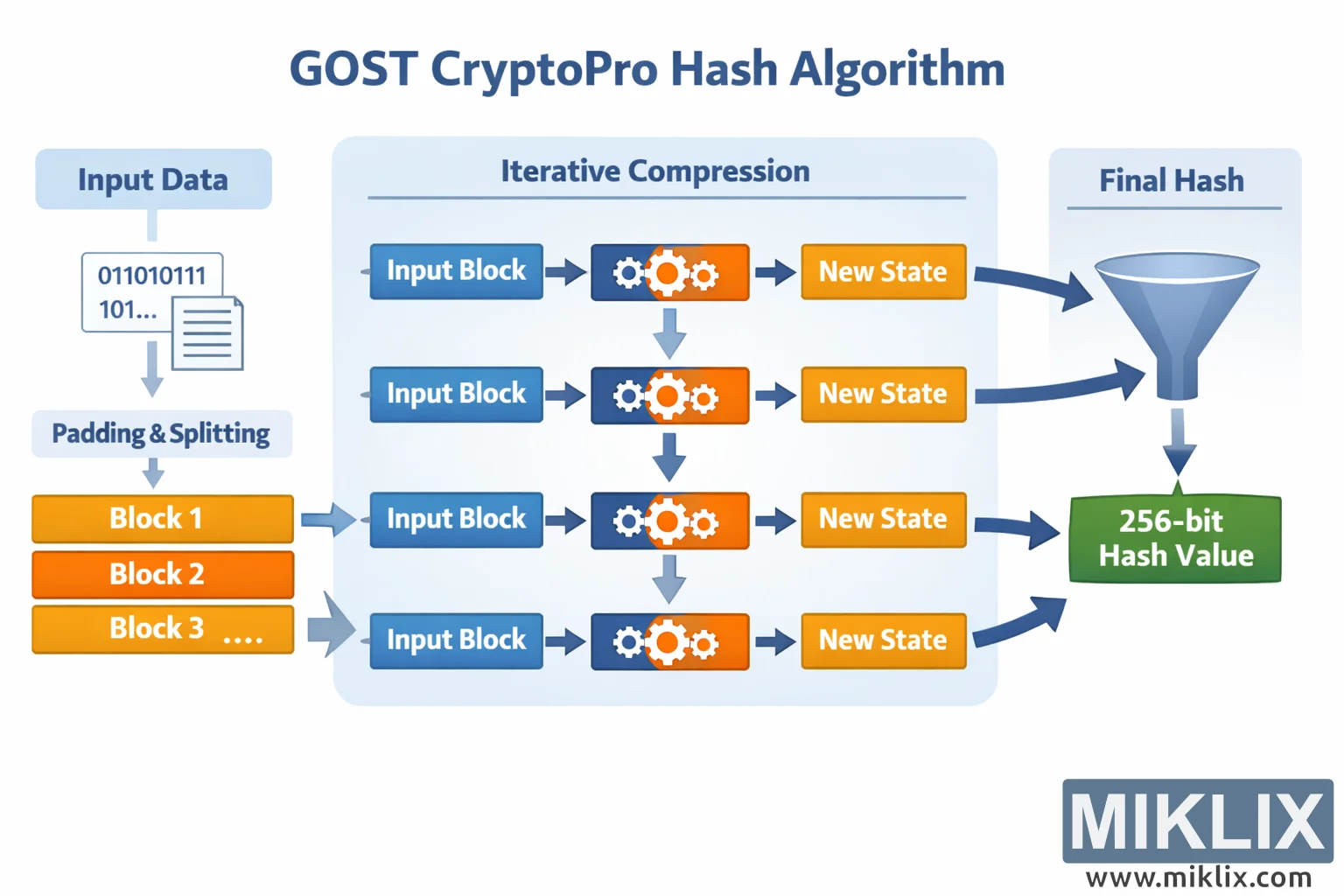
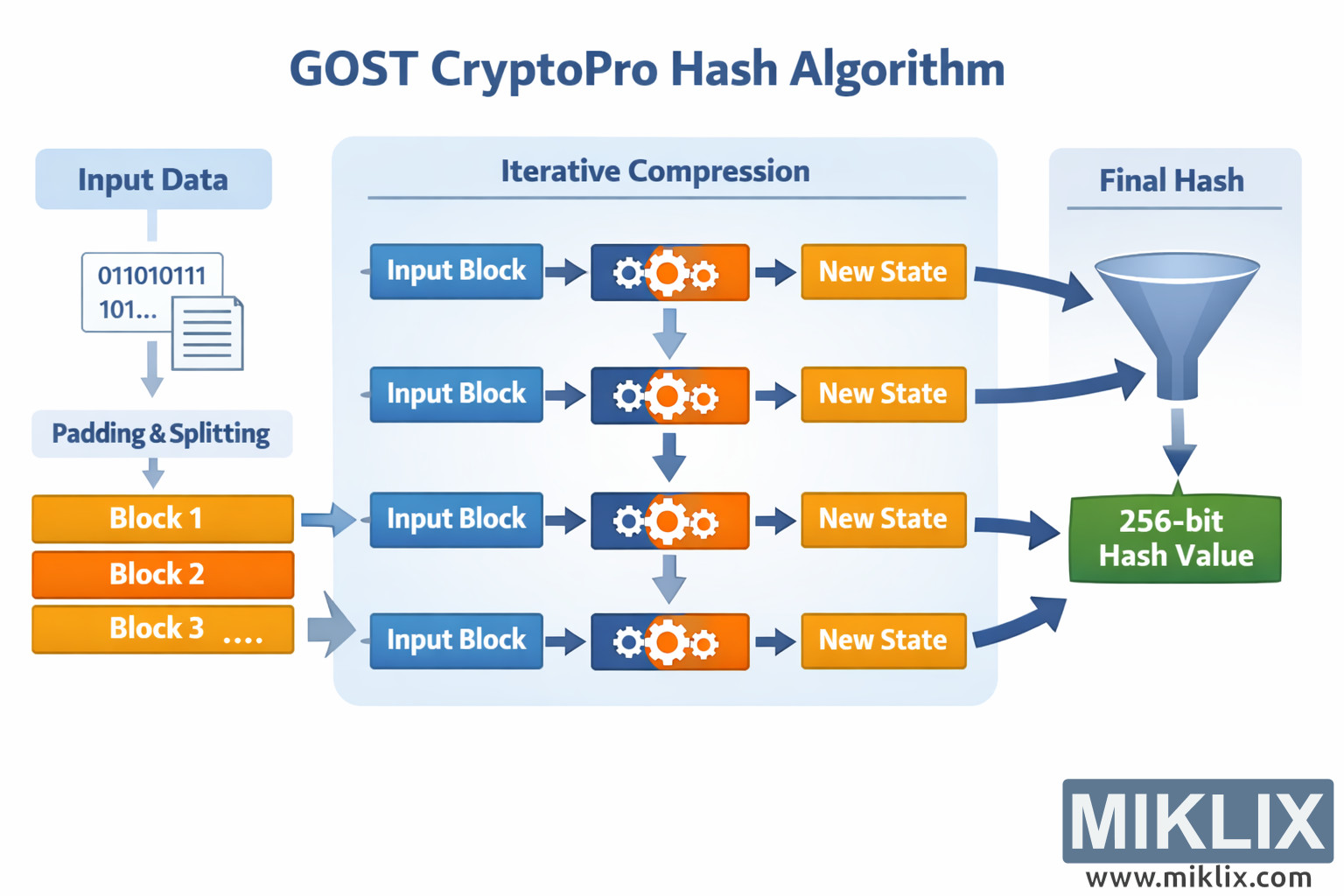
The image is a clean, landscape-oriented infographic that provides a high-level, easy-to-understand overview of the GOST CryptoPro hash algorithm without exposing fragile technical internals. At the far left, a section labeled "Input Data" shows a stylized binary snippet and a document icon, representing arbitrary digital data. A downward arrow leads into a second box titled "Padding & Splitting," illustrating that the original data is first prepared and divided into equal-sized blocks. Beneath this, three orange rounded rectangles labeled "Block 1," "Block 2," and "Block 3 …" suggest a sequence of many blocks flowing into the core of the algorithm.
The central and largest panel is titled "Iterative Compression" and is shaded in soft blue to emphasize that it is the main processing stage. Each incoming block is shown entering a blue "Input Block" box, then flowing through a rectangular processing module marked with interlocking gear icons. These gears visually represent the internal transformation logic without claiming specific operations. From each processing module, an arrow leads to an orange "New State" box, indicating that every block updates the current internal state. Vertical arrows connect the rows of processing units, reinforcing the idea that the state is carried forward from one block to the next in an iterative chain.
On the right side of the image, curved arrows lead from several of the "New State" boxes into a funnel-shaped graphic labeled "Final Hash." This funnel symbolizes the consolidation of the evolving state into a single result after all blocks have been processed. Below the funnel is a prominent green rounded rectangle labeled "256-bit Hash Value," clearly marking the final output size while keeping the design abstract and implementation-agnostic.
The overall color palette uses calm blues for structure, bright oranges for data flow and state updates, and green for the final result, making the sequence of steps easy to follow at a glance. Rounded shapes, large labels, and generous spacing are used throughout to improve readability. The layout flows smoothly from left to right, visually guiding the viewer from raw input, through preparation and repeated compression stages, and finally to the single fixed-length hash value produced by the GOST CryptoPro algorithm.
The image is related to: GOST CryptoPro Hash Code Calculator