
Image: MD4 Hash Algorithm – High-Level Visual Overview
Published: January 10, 2026 at 7:55:06 PM UTC
Last updated: January 10, 2026 at 7:55:27 PM UTC
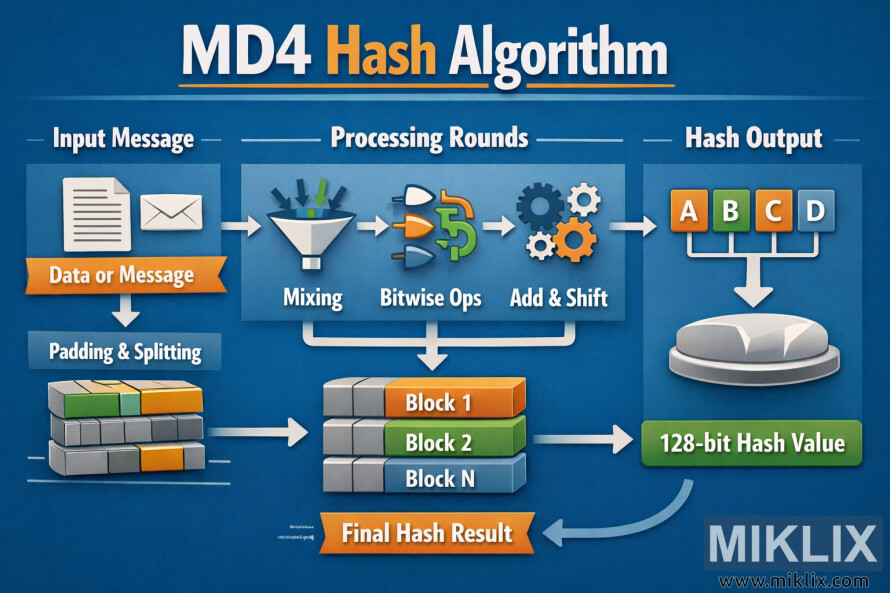
A clear infographic visualization of the MD4 hash algorithm, illustrating how an input message is padded, processed in rounds, and transformed into a 128-bit hash value.
Available versions of this image
The image files available for download below are less compressed and higher resolution - and as a result of that, higher quality - than the images embedded in articles and pages on this website, which are more optimized for file size in order to reduce bandwidth consumption.
Regular size (1,536 x 1,024)
Large size (3,072 x 2,048)
Very large size (4,608 x 3,072)
Extra large size (6,144 x 4,096)
Comically large size (1,048,576 x 699,051)
- Still uploading... ;-)
Image description
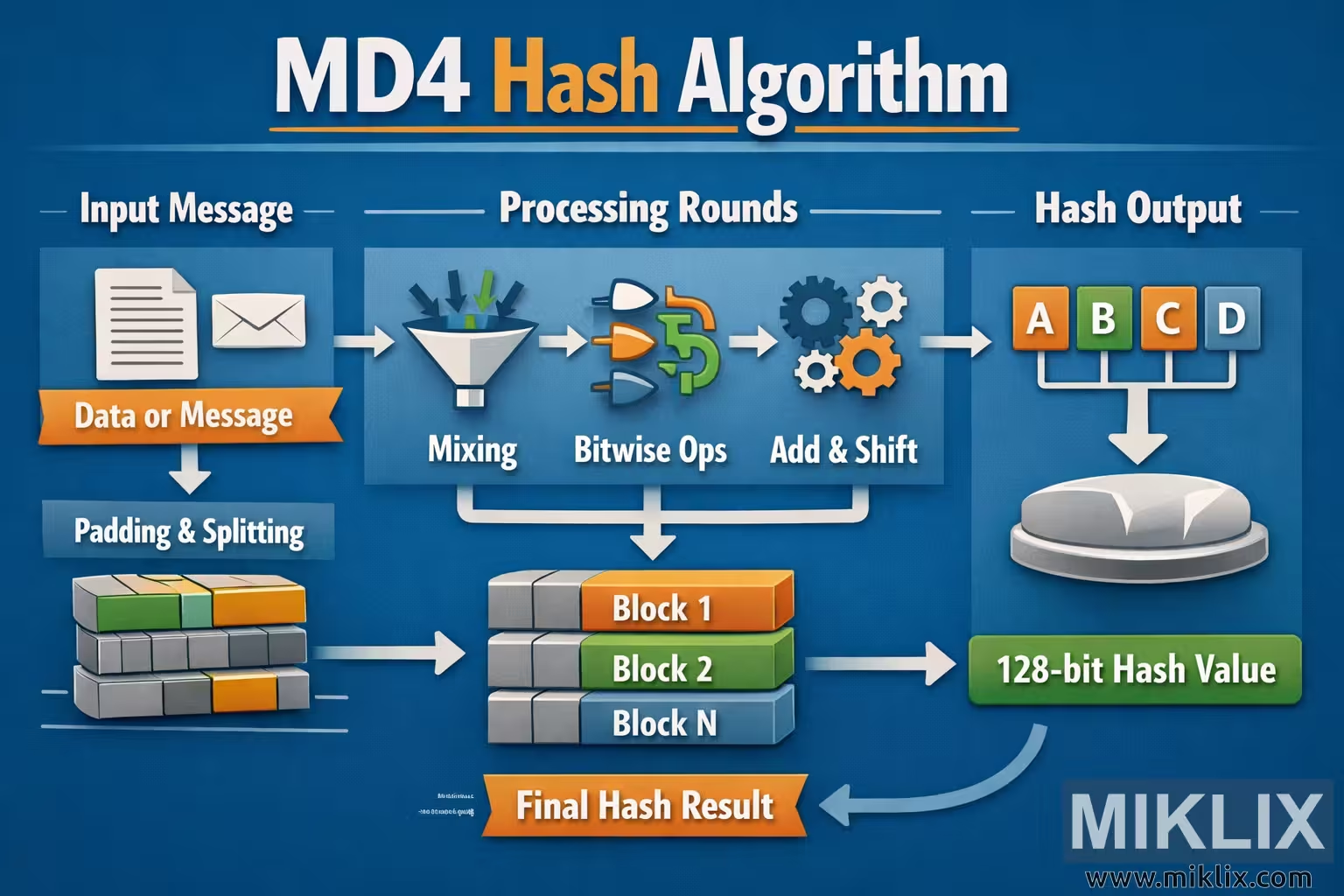
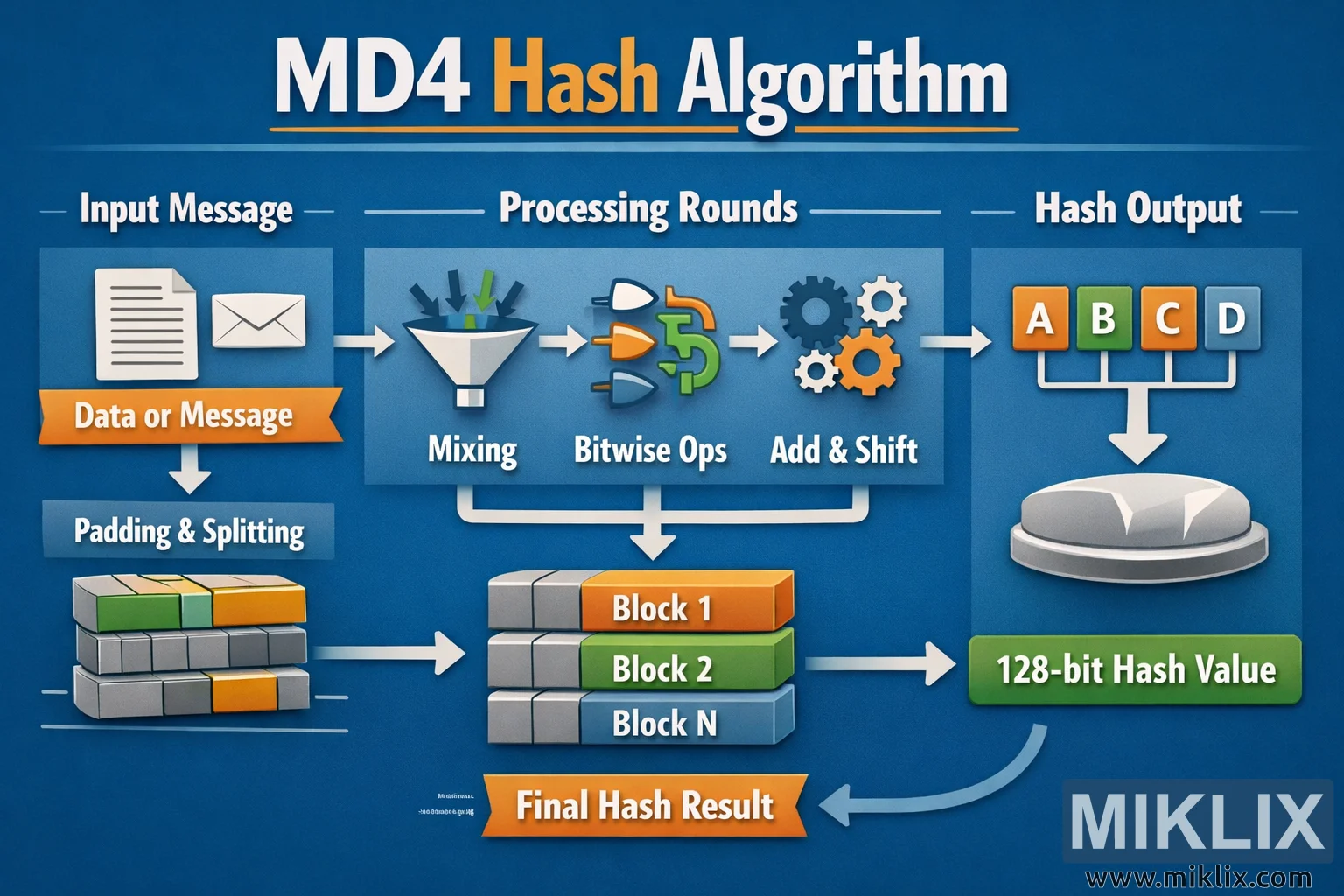
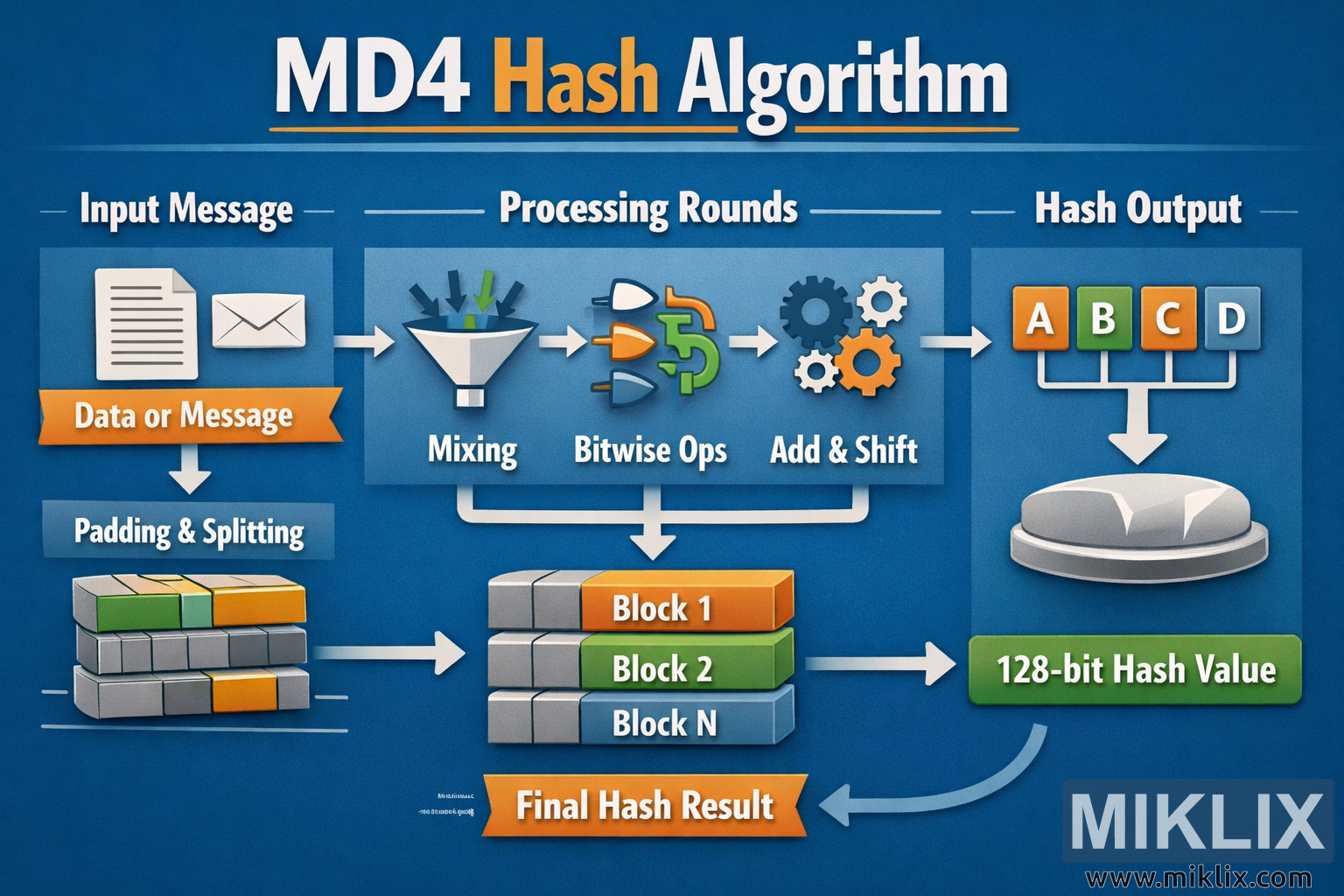
The image is a wide, landscape-oriented infographic titled "MD4 Hash Algorithm" set on a deep blue background with subtle gradients and soft lighting. The headline is centered at the top in large white and orange lettering, clearly identifying the visualization as being about the MD4 hash algorithm. Below the headline, the layout is divided into three main horizontal sections that guide the viewer from left to right: Input Message, Processing Rounds, and Hash Output.
On the far left, the Input Message section shows a paper document icon and an envelope icon to represent generic data. A ribbon-style label beneath them reads "Data or Message." A downward arrow leads to a block labeled "Padding & Splitting," illustrated as several stacked rectangular blocks in muted gray, green, and orange tones, indicating that the incoming data is prepared and broken into chunks. These stacked blocks then point toward the middle of the image.
The center of the graphic is the Processing Rounds area. At the top of this section are three simple, abstract icons arranged left to right: a funnel with arrows dropping into it labeled "Mixing," a collection of shapes and arrows labeled "Bitwise Ops," and a set of interlocking gears labeled "Add & Shift." The icons are intentionally symbolic rather than technical, avoiding any low-level or potentially inaccurate details while still conveying the idea of repeated transformations. A large arrow flows from these icons down to a vertical stack of labeled blocks reading "Block 1," "Block 2," and "Block N," showing that the algorithm processes multiple chunks of data in sequence.
On the right side is the Hash Output section. At the top is a row of four colored tiles labeled "A," "B," "C," and "D," connected by white lines to a single downward arrow. This arrow points to a metallic, circular pedestal-like shape that suggests the final result being formed. Beneath this is a bright green rounded rectangle labeled "128-bit Hash Value," making the output size clear in a high-level way. A curved arrow leads from this output back toward the lower center of the image, where an orange banner reads "Final Hash Result," reinforcing the idea that all processed blocks combine into one final digest.
Throughout the infographic, white arrows connect each stage, creating a clear visual flow from left to right and top to bottom. The overall color palette uses blues for the background, whites for text and arrows, and accent colors like orange, green, and gray to distinguish different concepts. The design is clean and educational, focusing on conceptual steps rather than cryptographic specifics, making it easy for non-experts to understand the basic idea of how MD4 transforms an input message into a fixed-length hash value.
The image is related to: MD4 Hash Code Calculator