
Image: SHA-256 Hash Algorithm Visual Overview
Published: January 10, 2026 at 7:42:51 PM UTC
Last updated: January 10, 2026 at 7:43:12 PM UTC
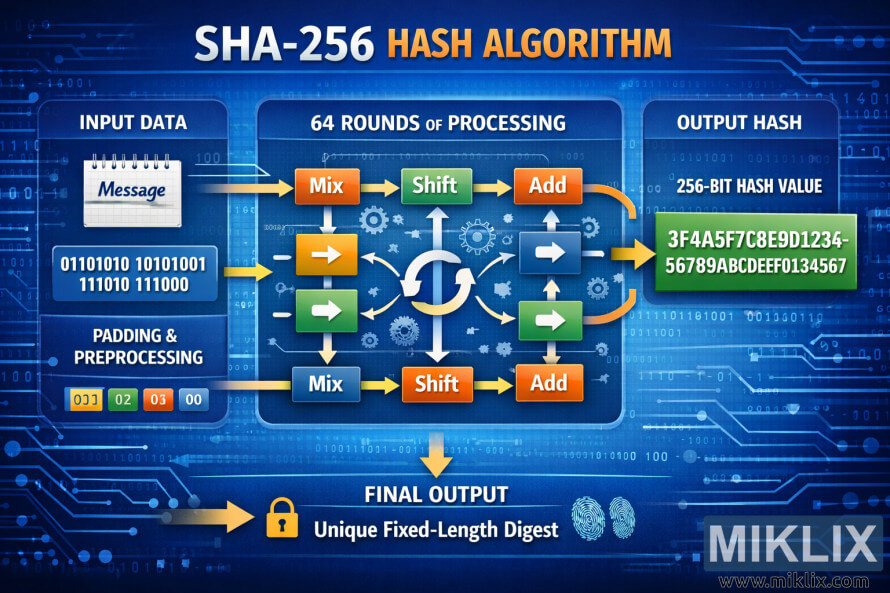
A clear, easy-to-understand infographic that illustrates how the SHA-256 hash algorithm transforms input data through repeated processing steps into a unique 256-bit hash output.
Available versions of this image
The image files available for download below are less compressed and higher resolution - and as a result of that, higher quality - than the images embedded in articles and pages on this website, which are more optimized for file size in order to reduce bandwidth consumption.
Regular size (1,536 x 1,024)
Large size (3,072 x 2,048)
Very large size (4,608 x 3,072)
Extra large size (6,144 x 4,096)
Comically large size (1,048,576 x 699,051)
- Still uploading... ;-)
Image description
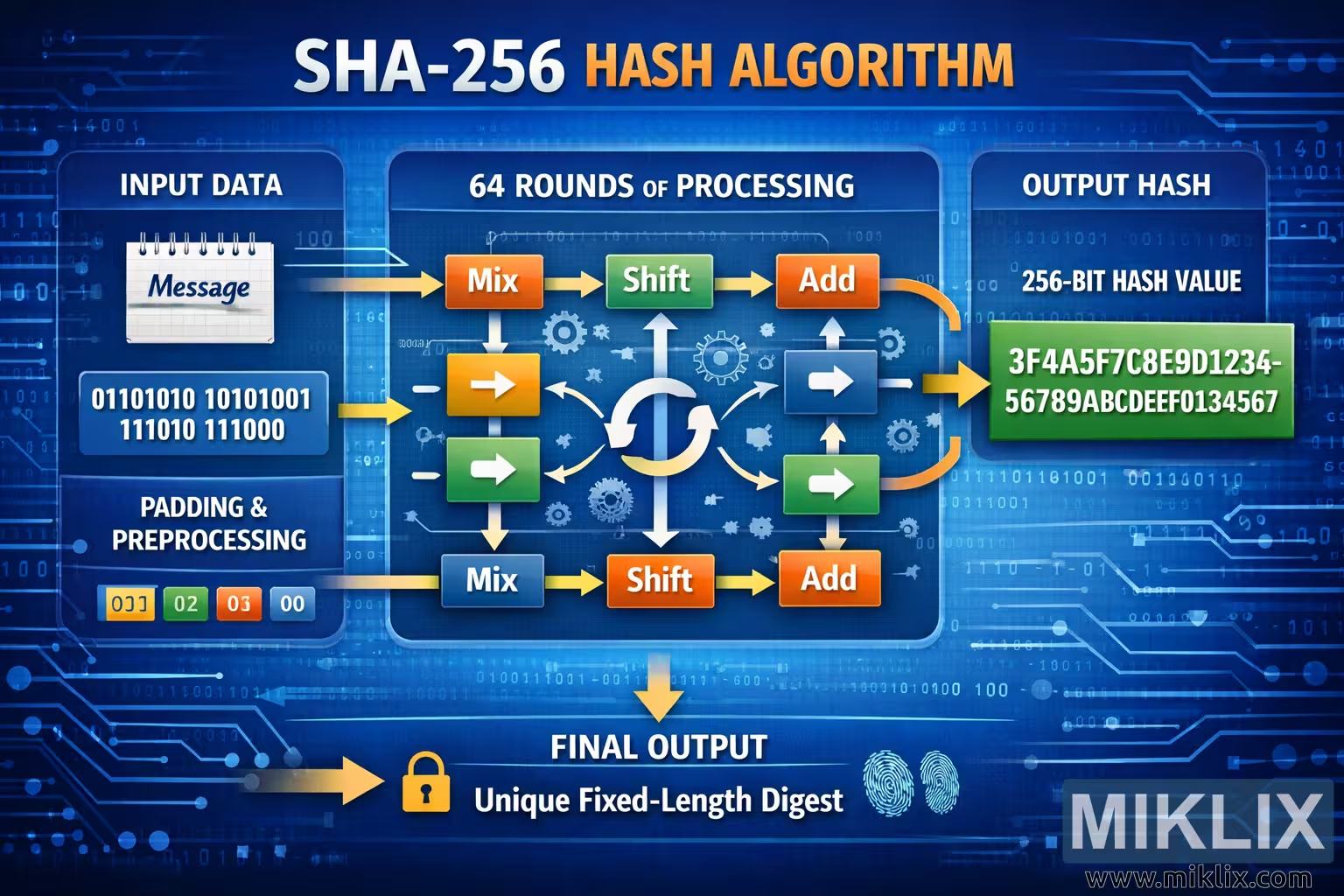
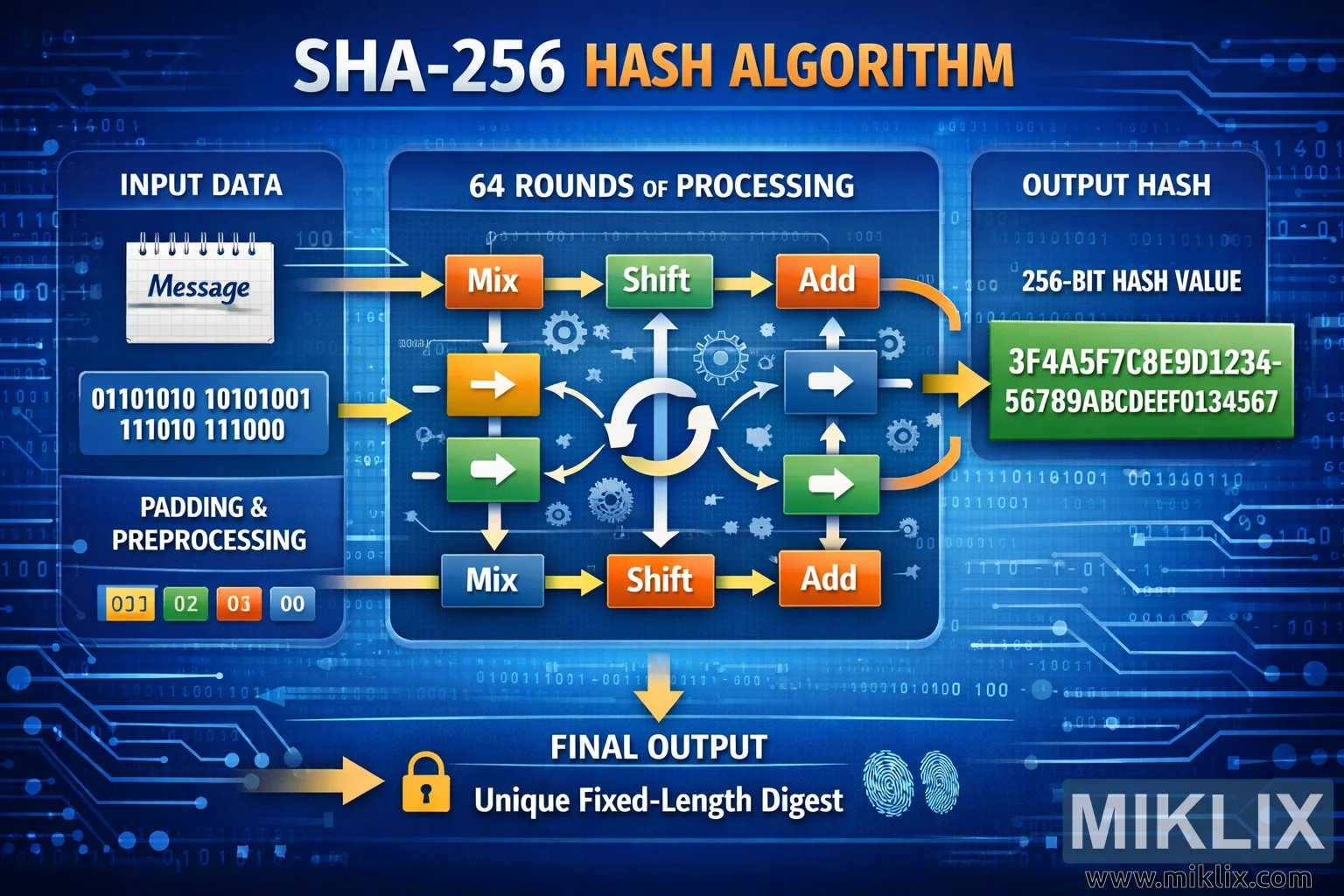
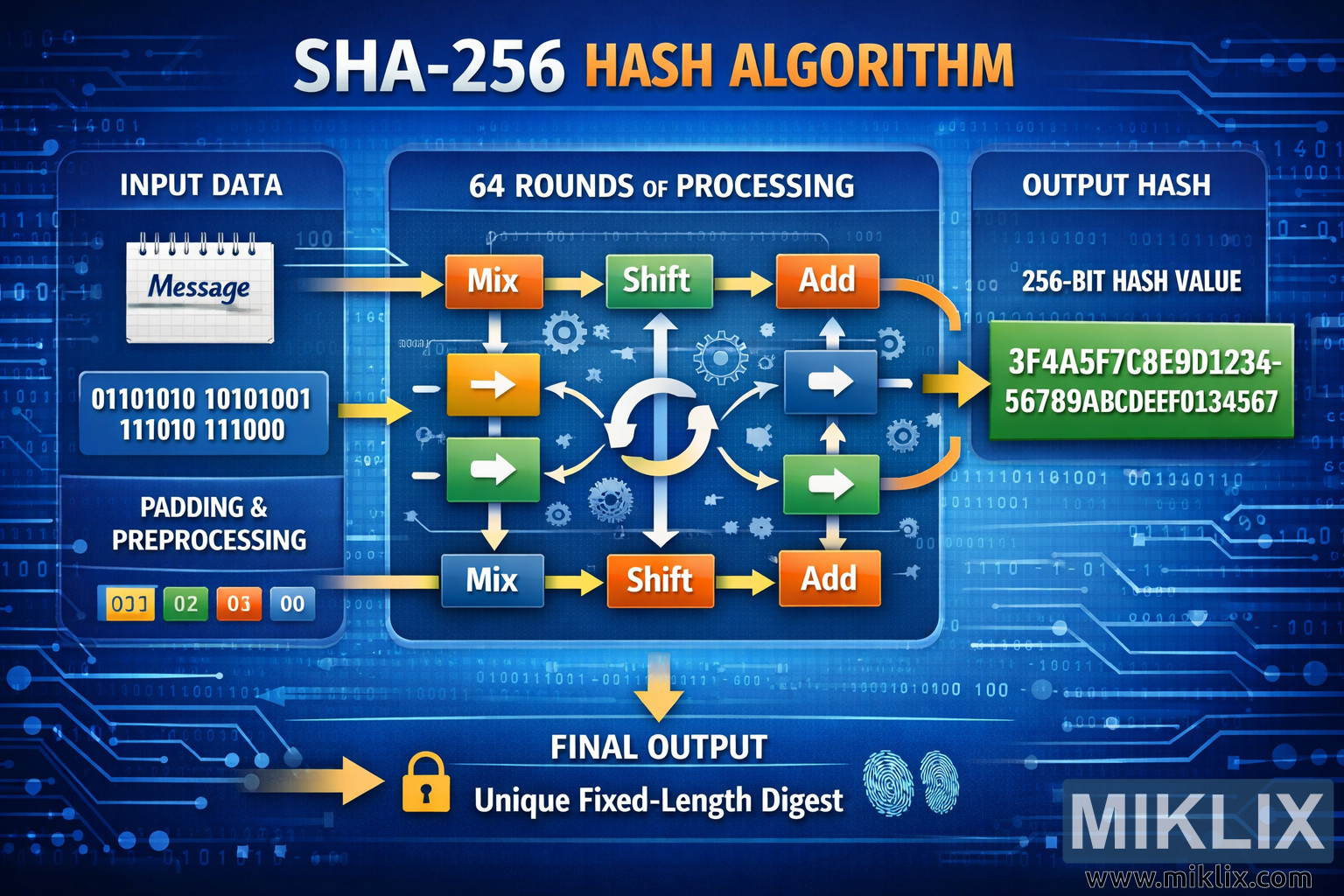
The image is a wide, landscape-oriented infographic that visually explains the SHA-256 hash algorithm in a clear, conceptual way without diving into low-level technical specifics. Across the top, a large headline reads \"SHA-256 HASH ALGORITHM\" in bold white and orange lettering, immediately establishing the topic. The background is a deep blue gradient filled with subtle binary digits, circuit traces, and glowing lines, creating a modern, high-tech atmosphere.
The layout flows from left to right. On the far left is a rounded panel labeled \"INPUT DATA\". Inside it, a small notepad icon labeled \"Message\" represents the original input text or file. Beneath this, a short block of binary digits symbolizes raw data being fed into the algorithm. At the bottom of this left panel is another section titled \"PADDING & PREPROCESSING\", illustrated with small colored blocks that suggest the input is prepared and normalized before processing. The visuals intentionally stay abstract, helping viewers understand the idea of preparation without implying exact implementation details.
From the input panel, a bright arrow points toward the center of the image, which is the largest and most detailed area. This middle section is enclosed in a rounded rectangle and labeled \"64 ROUNDS OF PROCESSING\" at the top. Inside, several colored boxes read \"Mix\", \"Shift\", and \"Add\", arranged in a looping pattern. Curved arrows form a circular flow around a central rotating-style icon, visually suggesting that the data is repeatedly transformed many times. Small gear icons and directional arrows reinforce the idea of internal computation and iteration, but remain generic so the viewer focuses on the concept of repeated transformation rather than any specific formula. The entire center block communicates that the input is run through many rounds of operations that combine, move, and update values over and over.
On the right side, another panel labeled \"OUTPUT HASH\" shows the result of the process. It highlights \"256-BIT HASH VALUE\" and displays a green rectangle containing an example hexadecimal-style string, making it clear that the output is a fixed-length code rather than readable text. A large arrow points from the central processing area to this output panel, reinforcing the directional flow from input to result.
At the bottom of the image, a banner labeled \"FINAL OUTPUT\" states \"Unique Fixed-Length Digest\" next to a small lock icon and a fingerprint graphic. These elements symbolize security, uniqueness, and integrity, helping viewers associate SHA-256 with cryptographic protection and identity verification. Overall, the infographic uses clean shapes, bold labels, and a consistent left-to-right narrative to make the idea of hashing intuitive: data goes in, is repeatedly transformed, and a secure, fixed-size digest comes out.
The image is related to: SHA-256 Hash Code Calculator