
Image: Understanding the XXH-64 Hash Algorithm at a Glance
Published: January 9, 2026 at 8:49:57 PM UTC
Last updated: January 9, 2026 at 8:50:24 PM UTC
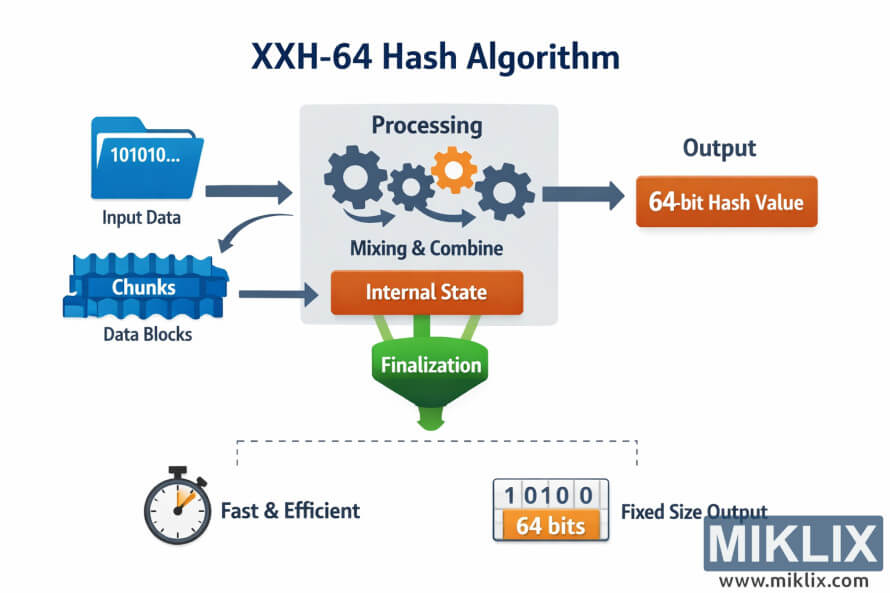
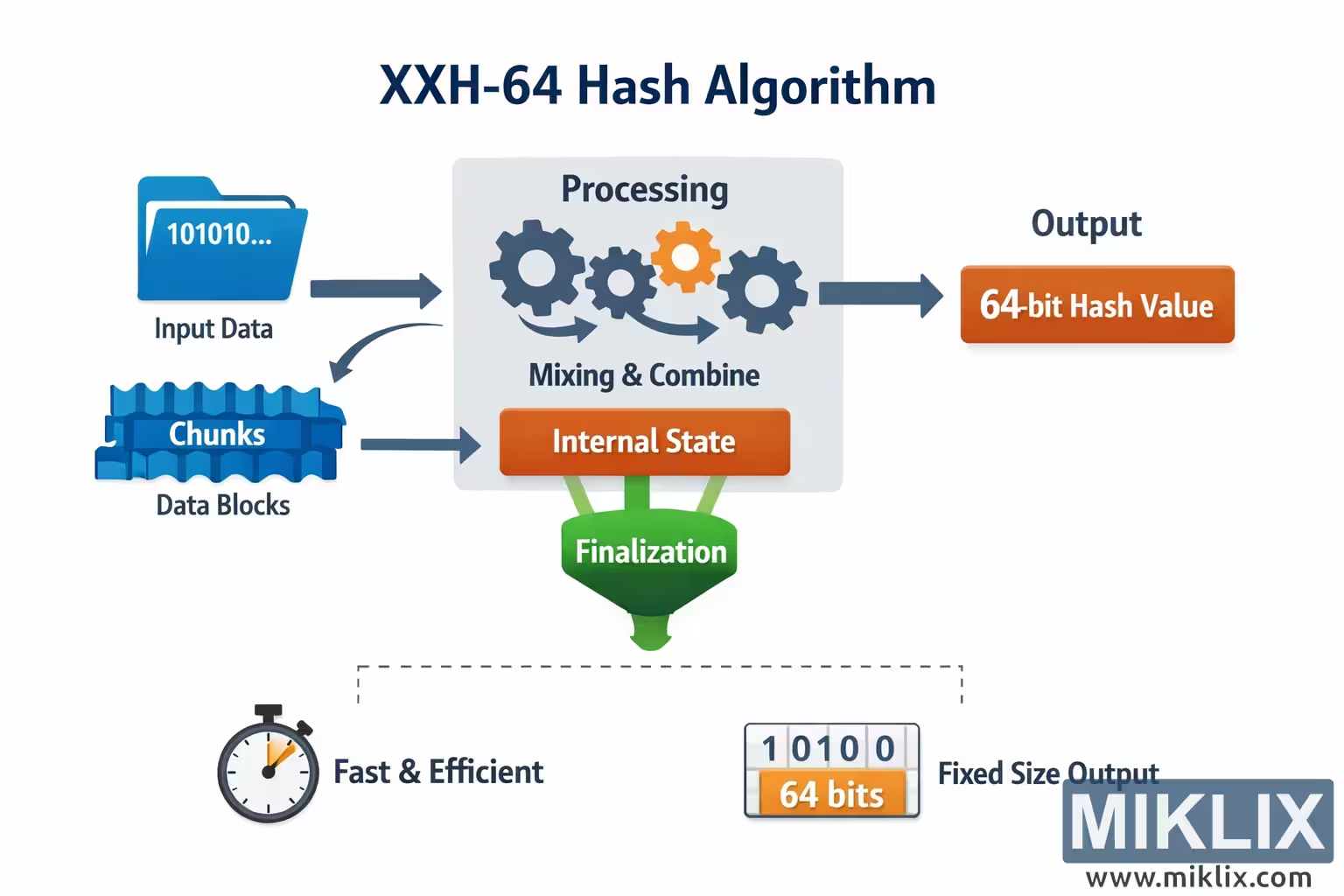
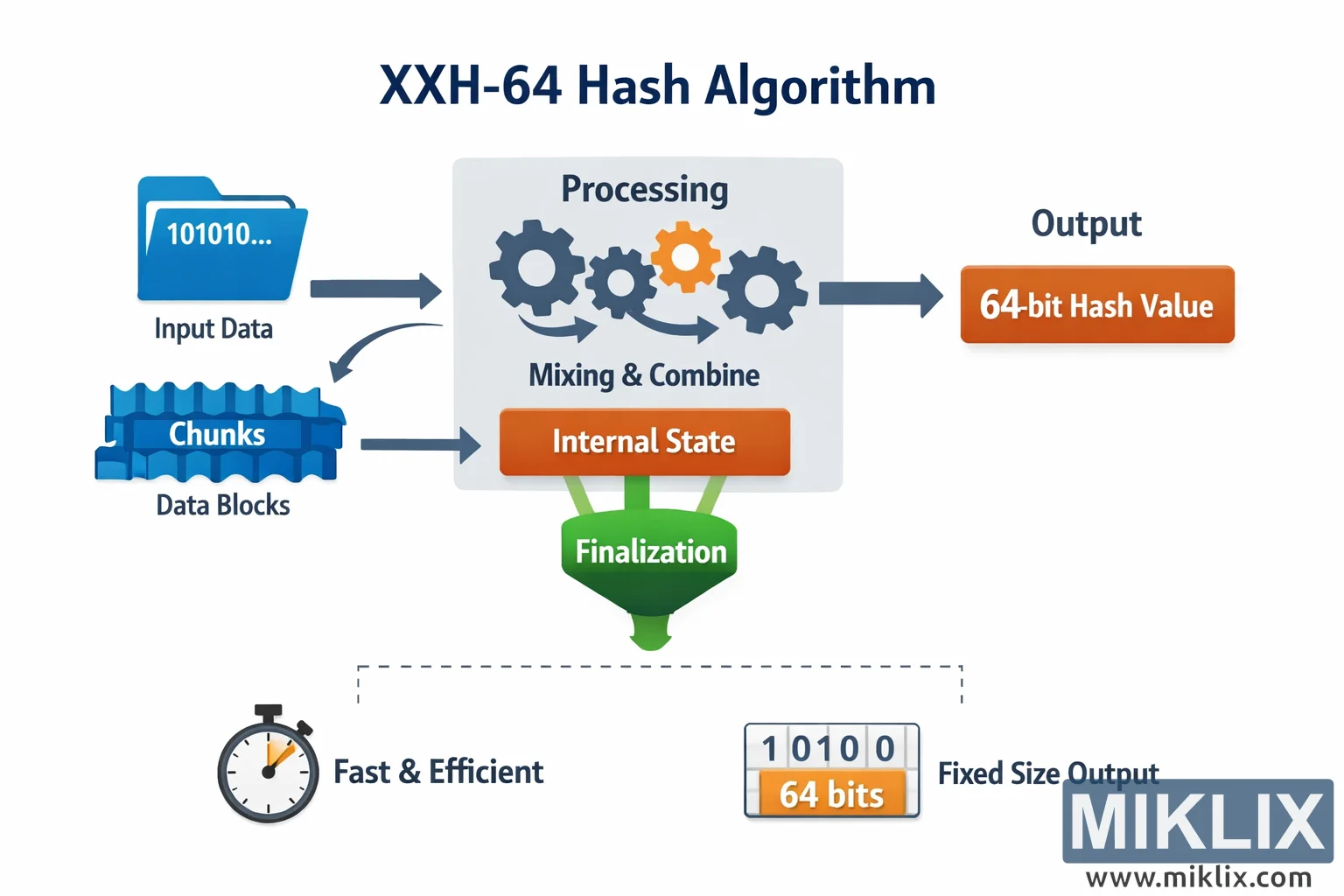
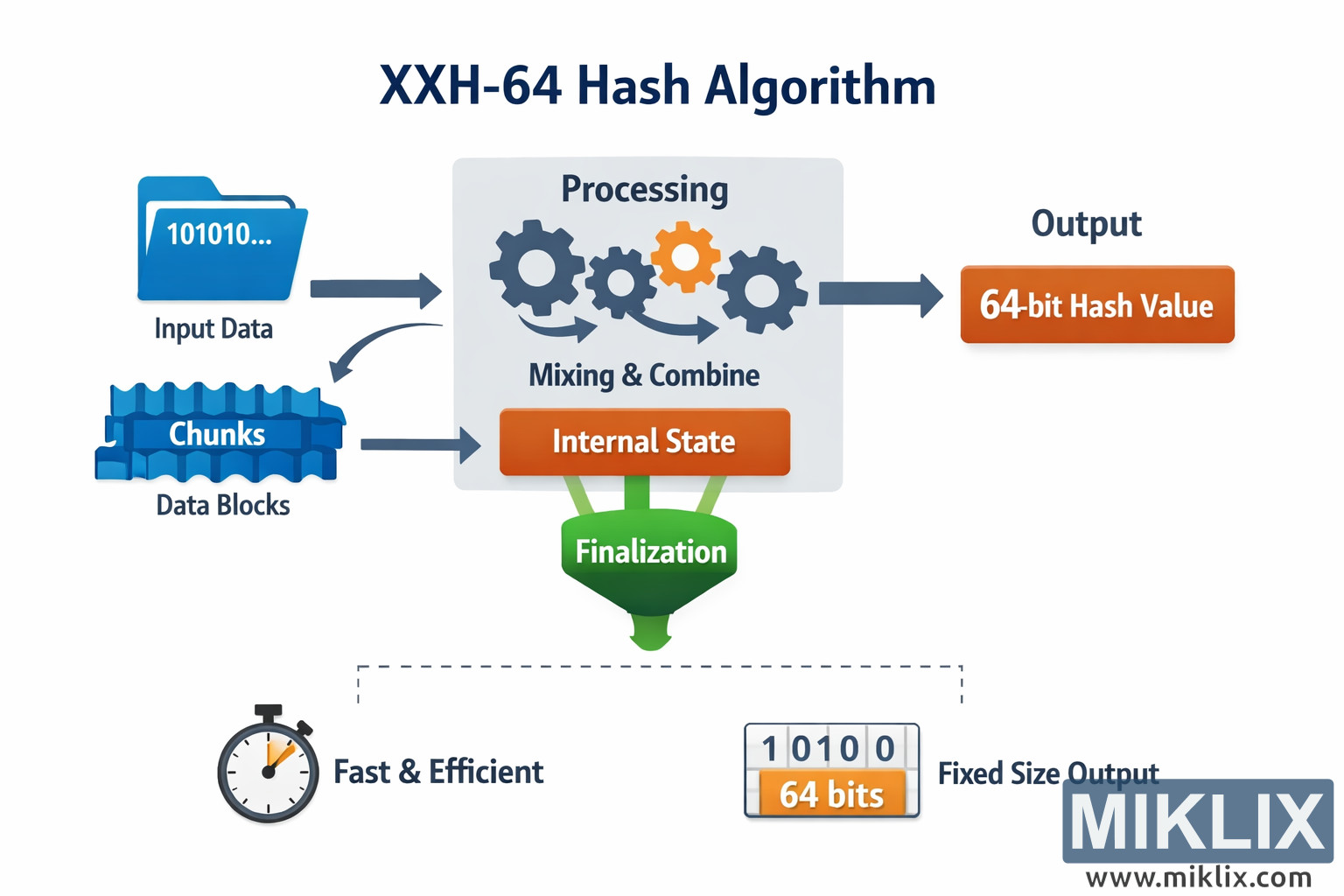
An easy-to-understand infographic that visualizes the high-level flow of the XXH-64 hashing algorithm from input data to fixed-size 64-bit output.
Available versions of this image
The image files available for download below are less compressed and higher resolution - and as a result of that, higher quality - than the images embedded in articles and pages on this website, which are more optimized for file size in order to reduce bandwidth consumption.
Regular size (1,536 x 1,024)
Large size (3,072 x 2,048)
Very large size (4,608 x 3,072)
Extra large size (6,144 x 4,096)
Comically large size (1,048,576 x 699,051)
- Still uploading... ;-)
Image description
The image is a wide, landscape-oriented infographic titled "XXH-64 Hash Algorithm" placed prominently at the top center. The overall style is clean and instructional, using flat vector graphics, rounded boxes, soft gradients, and clear arrows to communicate the concept of hashing without relying on low-level implementation details. The background is light and neutral so the colorful elements stand out clearly.
On the far left side, a blue folder icon labeled "Input Data" represents arbitrary incoming data. Inside the folder, a short binary snippet such as "101010…" is shown to indicate that the data is treated as raw bytes or bits. From this folder, a thick arrow points toward the center of the diagram, showing that the input flows into the hashing process. Below the folder, a stack of blue block shapes labeled "Chunks" or "Data Blocks" illustrates that the input is conceptually split into multiple smaller pieces before being processed. A curved arrow from the folder to these blocks reinforces the idea that the raw input is divided into blocks. Another arrow from the blocks points to the central processing area.
The central part of the image is a large rounded rectangle titled "Processing." Inside this area are several interlocking gear icons in dark blue and orange, symbolizing repeated mixing operations. Beneath the gears is a label reading "Mixing & Combine," emphasizing that the algorithm blends the input blocks into an internal representation rather than keeping them separate. Below that, a wide orange bar labeled "Internal State" represents the evolving internal value that accumulates the effect of all input data. The arrows leading into this box make it clear that both the original input and the chunked blocks influence this internal state.
Directly beneath the internal state, a green funnel-shaped element labeled "Finalization" points downward. This shape conveys the idea that the accumulated internal state is compressed or distilled into a final result. A dashed outline connects this area to explanatory icons at the bottom of the image, helping the viewer understand the properties of the output.
To the right of the central processing box, a thick arrow points to an orange rounded rectangle labeled "64-bit Hash Value" under the heading "Output." This is the final destination of the data flow and visually communicates that the algorithm always produces a fixed-size 64-bit result regardless of the size of the input.
Along the bottom of the image are two small explanatory callouts. On the left, a stopwatch icon appears next to the text "Fast & Efficient," suggesting that XXH-64 is designed for speed. On the right, a small binary-styled box reading "64 bits" is paired with the caption "Fixed Size Output," reinforcing the idea that the hash length does not vary. Together, these elements summarize the key properties of the algorithm in a friendly, high-level way that avoids any precise constants or steps that could be inaccurate.
The image is related to: XXH-64 Hash Code Calculator