
Image: Growing Tree Maze Generation Algorithm Explained
Published: January 10, 2026 at 8:03:02 PM UTC
Last updated: January 10, 2026 at 8:03:38 PM UTC
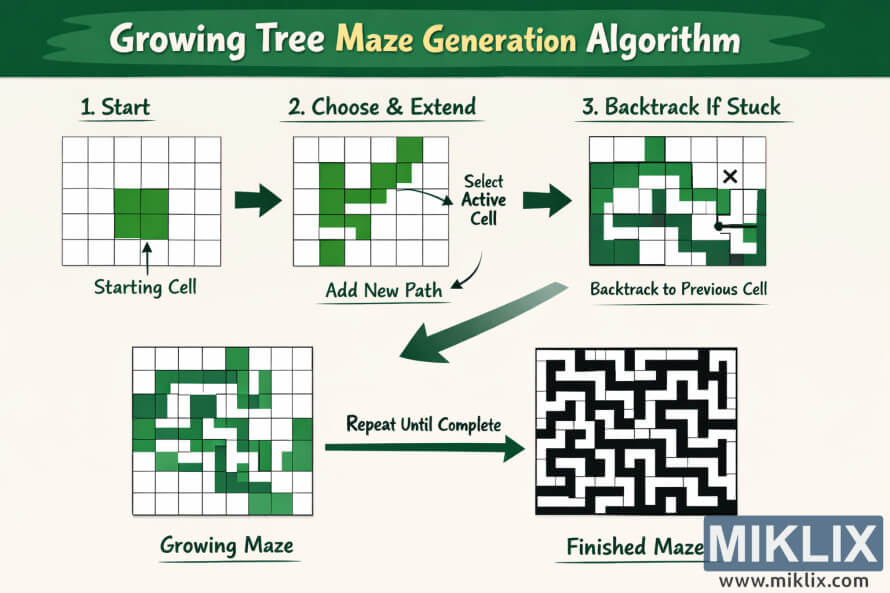
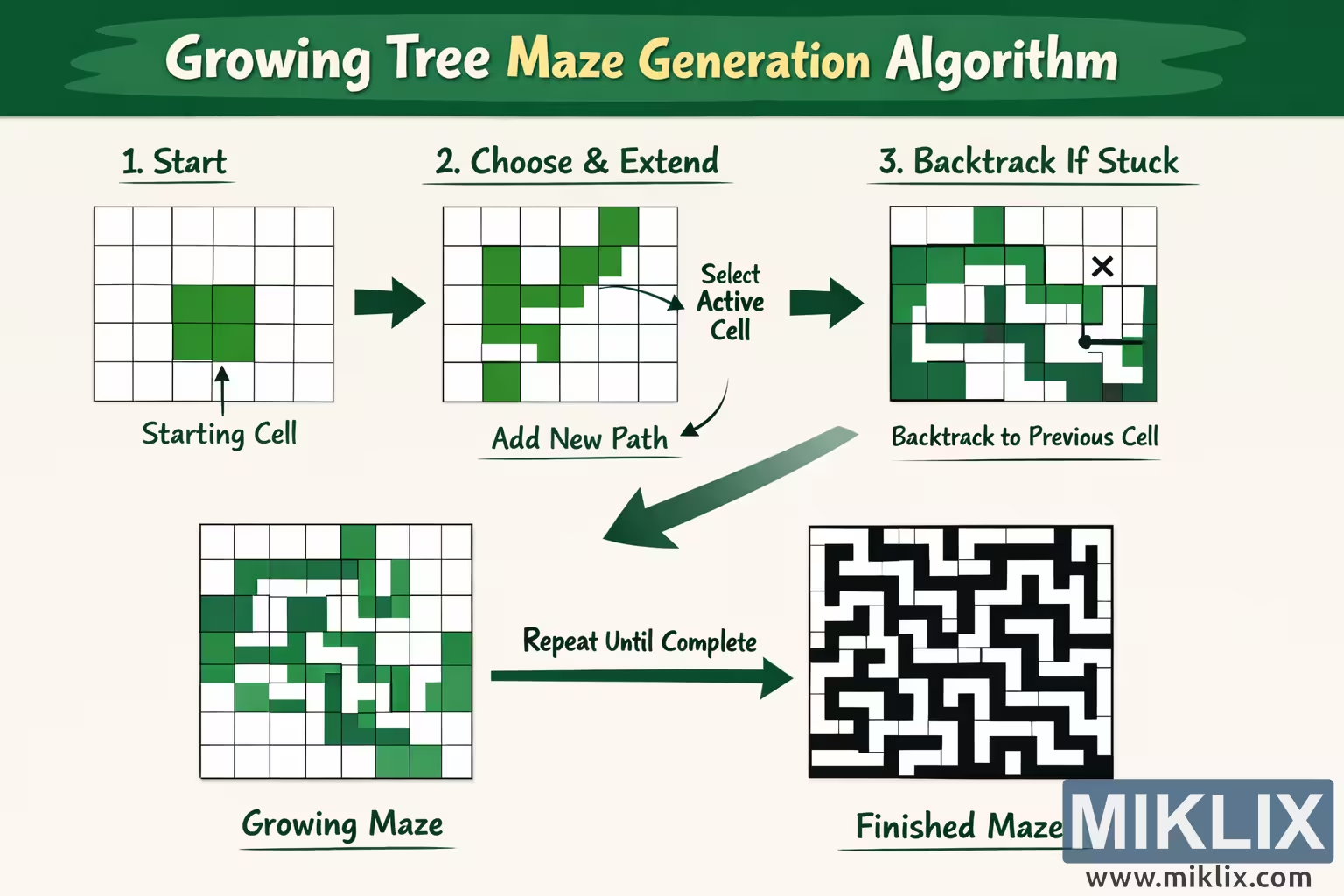
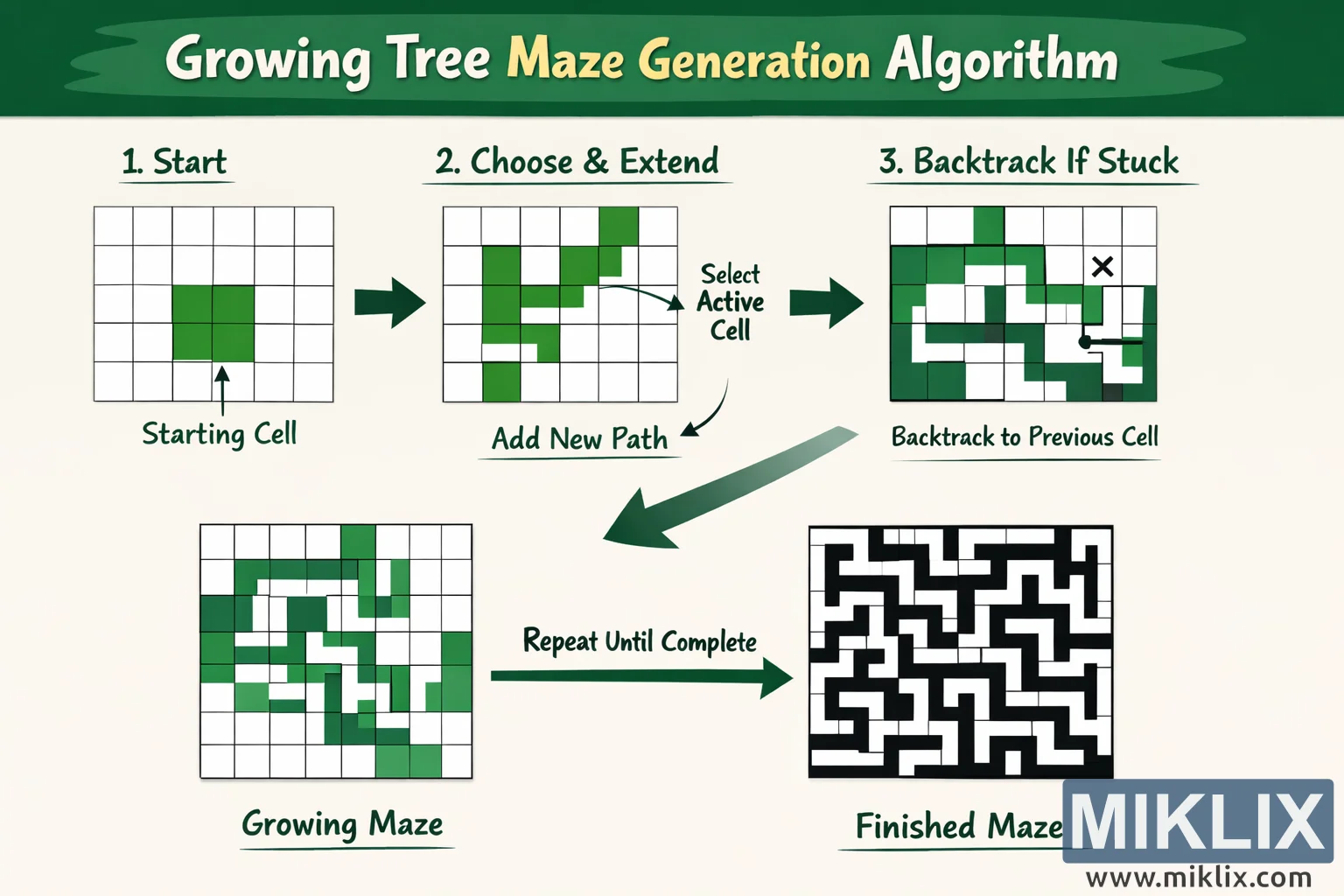
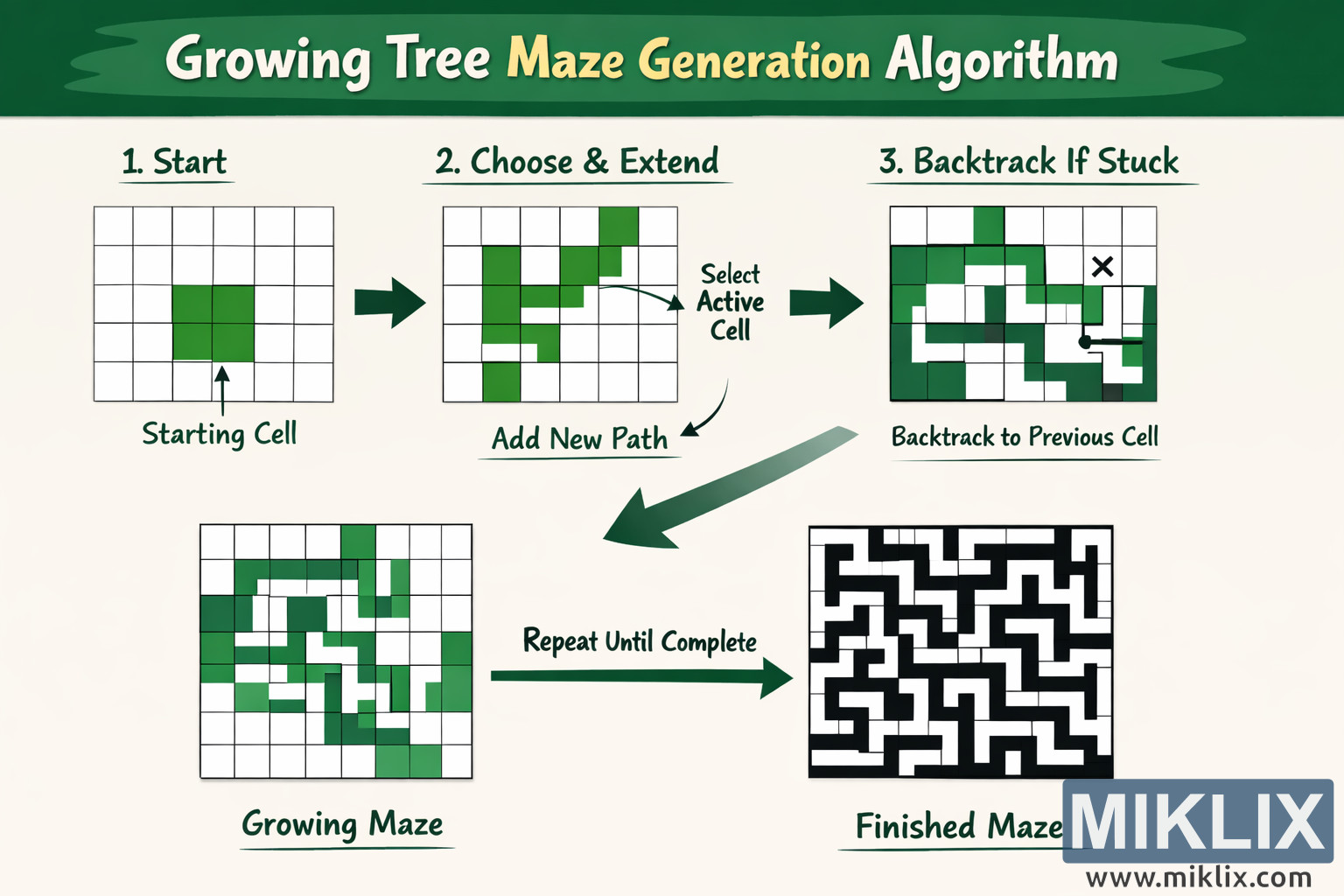
Educational visualization explaining how the Growing Tree algorithm constructs a maze through repeated extension and backtracking steps.
Available versions of this image
The image files available for download below are less compressed and higher resolution - and as a result of that, higher quality - than the images embedded in articles and pages on this website, which are more optimized for file size in order to reduce bandwidth consumption.
Regular size (1,536 x 1,024)
Large size (3,072 x 2,048)
Very large size (4,608 x 3,072)
Extra large size (6,144 x 4,096)
Comically large size (1,048,576 x 699,051)
- Still uploading... ;-)
Image description
The image is a wide, landscape-oriented educational infographic that explains the Growing Tree maze generation algorithm in a clear and approachable way. A large green banner stretches across the top and contains the headline \"Growing Tree Maze Generation Algorithm\" in bold, friendly lettering, immediately telling the viewer what the diagram is about. Below the headline, the canvas is divided into several illustrated panels connected by thick green arrows, guiding the eye from left to right and then downward in a logical flow.
The first panel on the left is labeled \"1. Start\" and shows a simple square grid of empty cells. Near the center of this grid, one block of cells is filled in green and is annotated with a small arrow and the caption \"Starting Cell.\" This panel communicates that the process begins by selecting an initial cell from which the maze will grow. The surrounding grid remains blank, reinforcing that no paths have yet been carved.
A large arrow points to the next panel titled \"2. Choose & Extend.\" Here the grid now contains a winding green path that branches and turns. Curved arrows and short labels such as \"Select Active Cell\" and \"Add New Path\" illustrate the idea that one of the existing green cells is chosen as the current focus and then extended into a neighboring cell to create a new corridor. The shapes are abstract and not tied to any exact rule, intentionally avoiding overly specific technical details while still conveying the sense of growth.
Another arrow leads to the third panel, labeled \"3. Backtrack If Stuck.\" In this view, the green path is more complex, and a small black X marks a dead end. An arrow loops backward from that X toward an earlier part of the path, accompanied by the caption \"Backtrack to Previous Cell.\" This visually explains that when the algorithm cannot extend from the current position, it moves back to an earlier cell that still has unused neighbors.
From there, a long sweeping arrow curves downward to a panel labeled \"Growing Maze.\" This panel shows a much larger portion of the grid filled with green paths that weave through many cells, representing the repeated cycle of choosing, extending, and backtracking. The density of green is higher here, making it clear that the maze is steadily being built up over time.
Finally, a straight arrow labeled \"Repeat Until Complete\" points to the bottom-right panel titled \"Finished Maze.\" This last image is a high-contrast black-and-white maze filling the entire grid, with solid black walls and white corridors. It visually contrasts with the earlier green construction phases, indicating that the algorithm has completed and produced a full maze. The overall layout, arrows, and concise labels together provide a step-by-step story of how the Growing Tree algorithm evolves from a single starting cell into a complete labyrinth.
The image is related to: Growing Tree Algorithm Maze Generator