
Image: Union–Find (Disjoint Set) Algorithm – Visual Overview
Published: January 10, 2026 at 8:23:11 PM UTC
Last updated: January 10, 2026 at 8:24:08 PM UTC
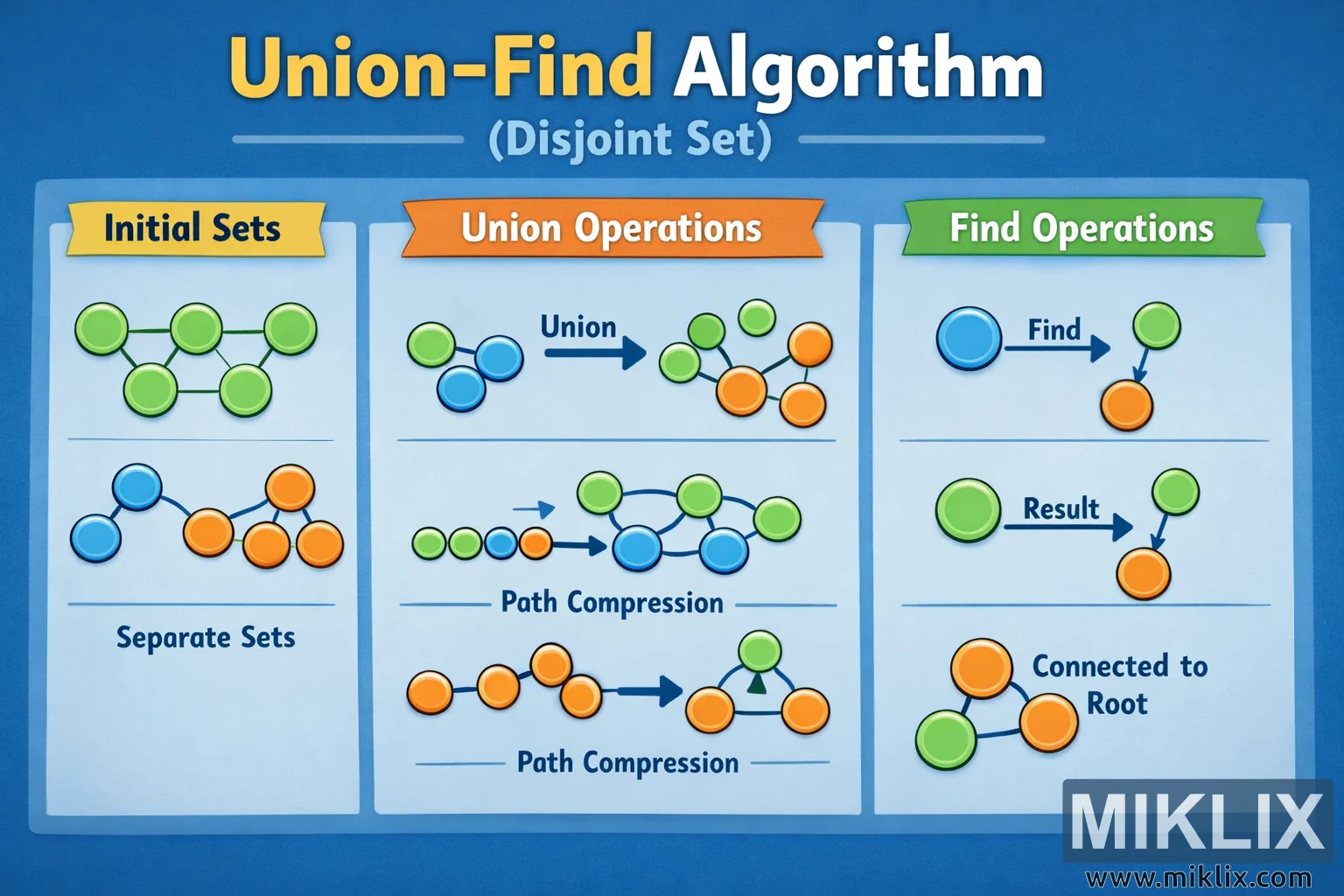
A clear, beginner-friendly infographic that visualizes how the Union–Find (Disjoint Set) algorithm groups elements, merges sets, and finds roots efficiently.

Available versions of this image
The image files available for download below are less compressed and higher resolution - and as a result of that, higher quality - than the images embedded in articles and pages on this website, which are more optimized for file size in order to reduce bandwidth consumption.
Regular size (1,536 x 1,024)


Large size (3,072 x 2,048)
Very large size (4,608 x 3,072)
Extra large size (6,144 x 4,096)
Comically large size (1,048,576 x 699,051)
- Still uploading... ;-)
Image description
The image is a wide, landscape-oriented educational infographic with a blue gradient background. At the very top, a large bold headline reads "Union-Find Algorithm" with a smaller subtitle "(Disjoint Set)" underneath, making it immediately clear which algorithm is being explained. The layout is divided into three vertical panels placed side by side, each panel using soft rounded boxes and bright accent colors so the flow of ideas is easy to follow.
The left panel is titled "Initial Sets" on a yellow ribbon-style banner. Below the title are illustrations of several small, separate groups of circular nodes. Each node is shown as a colored circle, and nodes belonging to the same group are connected by simple lines, forming tiny tree-like structures. Different groups use different colors, emphasizing that they are independent components at the start. A label near the bottom of this panel reads "Separate Sets," reinforcing that before any operations, elements are not connected across groups.
The middle panel is titled "Union Operations" on an orange banner. This section shows how previously separate sets become merged. On the top part of the panel, two small colored groups are displayed on the left, with a large arrow labeled "Union" pointing to the right, where those groups are now shown connected into a single larger structure. This visually demonstrates the effect of a union operation without relying on specific data values. Beneath that, another row labeled "Path Compression" shows a chain-like structure of nodes on the left that is gradually transformed, via arrows, into a more compact tree on the right. The nodes are rearranged so that they point more directly to a central node, illustrating the idea that paths are shortened over time to make future operations faster, while avoiding technical implementation details.
The right panel is titled "Find Operations" on a green banner. At the top of this panel, a single node is shown on the left with an arrow labeled "Find" pointing to a small tree on the right, indicating the process of tracing a node up through its links to reach a representative element. In the middle, a large node points to another node under a label "Result," showing the outcome of a find operation. At the bottom, a compact group of connected nodes is displayed with the caption "Connected to Root," emphasizing that all nodes in a set ultimately reference a common root element.
Across all panels, arrows, clean typography, and consistent use of color make the progression from separate sets, through union operations, to efficient find operations intuitive. The illustration avoids specific indices, array layouts, or performance numbers, focusing instead on the conceptual behavior of the Union–Find or Disjoint Set algorithm in a clear, high-level visual manner.
The image is related to: Disjoint Set (Union-Find Algorithm) in PHP